
EasyNav
Extension Actions
CRX ID
jffaincojneohpjbdcgpifncikidbpdg
Status
- Live on Store
Description from extension meta
Collect bookmarks easily with just one click.
Image from store
Description from store
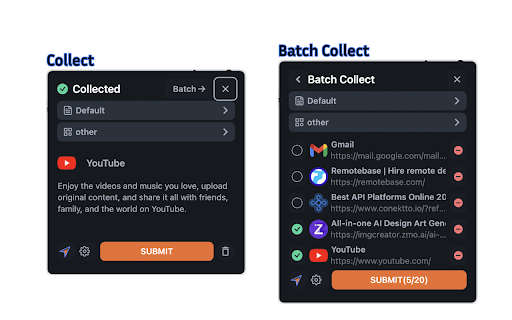
Introducing our innovative bookmark collector - With just one click, you can effortlessly collect bookmarks.
How to Use:
1. Sign up or log in.
2. Click the extension button on any website, or press Ctrl+E (Command+E on Mac).
We recommend pinning the extension icon for easier access.
Only http:// or https:// website can be collected, others are not supported.
Website: https://easy-nav.cc