
Personalized Backgrounds
Extension Actions
- Live on Store
Customize your browsing experience with personalized background images.
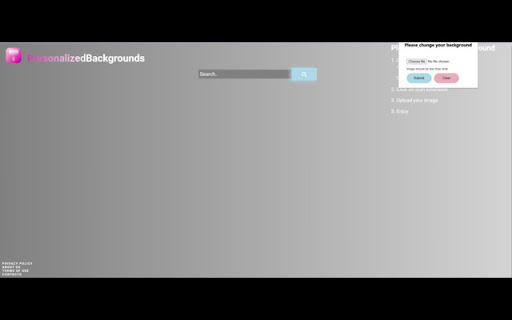
The ultimate tool for personalizing your Google Chrome browsing experience.
With this extension, you can easily customize and set your own background image for your Chrome browser. Personalized Backgrounds lets you personalize your browsing experience and make your browser truly your own by letting you choose a background from your own photos.
The extension also changes the default search engine to Bing.
By clicking "add to chrome", I accept and agree to install the Personalized Backgrounds extension and set Chrome's new tab search result by Microsoft Bing as described by the service in terms of use https://www.leadpromediallc.com/terms and Policy https://www.leadpromediallc.com/privacy
In order to set a custom background:
1. Click on the extension icon in the top right corner of your browser
2. Choose a photo from your library you want to set as your background (maximum size is 4MB)
3. Click "Submit"
*You are able to clear your chosen background by clicking on the extension icon and then "Clear"
Latest reviews
- GA . . .
- it does not work anymore
- Sohan Devarasetty
- My school blocked changing your backgrounds and this was a very helpful way to bypass it. This was a life changer for me.
- Bethany Willson
- You can. get an image WITHOUT installing this
- Bahman Bastan
- Excellent
- Bahman Bastan
- Excellent
- Fazleena Gowani
- Amazing for giving your stuff a personal touch.
- Fazleena Gowani
- Amazing for giving your stuff a personal touch.
- Shanmugam V
- awesome
- Shanmugam V
- awesome
- Murshida Islam
- Thank you
- Murshida Islam
- Thank you