
Double Subtitles for Netflix by MovieLingo
Extension Actions
- Live on Store
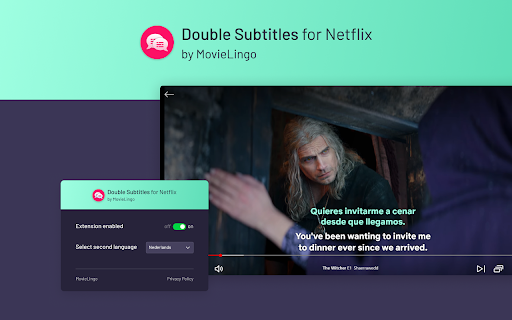
Extension allows for displaying additional subtitles above the standard Netflix ones.
Boost your Netflix experiences with "Double Subtitles for Netflix" by Movielingo! 🎬🌐 Do what you love, and learn languages in an easy, enjoyable way. 🎓🌟
Double Subtitles extension allows for displaying additional subtitles above the standard Netflix ones. Select the language of additional subtitles from the list in extension pop-up window. 📝🔀
Fun, ease, and effectiveness, all in one extension! 😁🚀 Regardless of your level, "Double Subtitles for Netflix" is your personal language tutor at your fingertips. 👨🏫🌍
How to start? It's simple! 😊
Click on the extension. ➡️
Add it to your Chrome browser. 🔀🖱️
Refresh the Netflix page. 🔄
That's it! Now, just choose the languages you want to learn, and start enjoying your learning. 🎉🗣️
Join us and start your multilingual journey today! 🚀🌍
Note: This extension is not affiliated with, endorsed by, or connected to any of the companies or products mentioned. All trademarks and registered trademarks belong to their respective owners.
Latest reviews
- André
- I am only getting the original language shown in a second subtitle with a slight delay. In some combinations of languages, I am getting an odd mixture of both languages in the green second subtitle.