
Wiggle Teams
Extension Actions
- Live on Store
Ensures your Microsoft Teams status stays active by simulating random user activity.
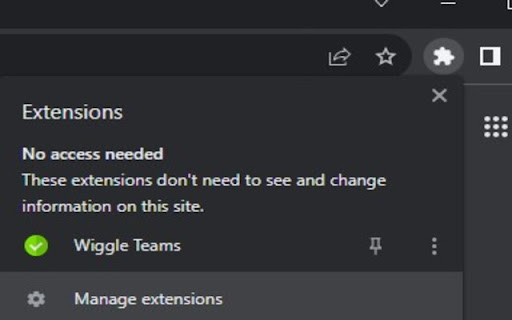
Wiggle Teams is a Chrome extension designed to help Microsoft Teams users by keeping their status active in the web browser. Here's what it does and why you should consider installing it:
1. Prevents Your Status from Going Idle: If you're a Microsoft Teams user who often finds themselves busy with other tasks, Wiggle Teams will keep your status active by periodically interacting with the Teams webpage in your browser. No more worrying about being marked as away!
2. Simple and Efficient: With Wiggle Teams, maintaining an active presence on Microsoft Teams is effortless. Once installed, it works automatically in the background, without any manual intervention or impact on your browsing experience.
3. Privacy-Focused: This extension respects your privacy. It doesn't collect, store, or share any of your personal information. All functionality is contained within your browser, focused solely on enhancing your productivity with Microsoft Teams.
4. Compatibility Note: Wiggle Teams is designed to work with the Microsoft Teams web client. Ensure that Teams is not open simultaneously in multiple browsers or the desktop app, as it may impact the functionality.
Why Install Wiggle Teams? If you're looking to maintain your presence on Microsoft Teams without constant manual interaction, Wiggle Teams is a straightforward and efficient solution. It's free, privacy-focused, and dedicated to improving your Teams experience.
Install Wiggle Teams today and discover the convenience of automatic status management on Microsoft Teams!
Latest reviews
- Pratik Mohare
- Workaround to fix for new URL: teams.cloud.microsoft Currently the extension does not have access to the new URL but it can be added manually. 1. On windows: go to C:\Users\<user>\ AppData\Local\Google\Chrome\User Data\Default\Extensions\ [AppData is hidden folder, but you can type it in the nav bar directly] 2. Copy the folder kbfceooaaajnllddlnimiddlfdhieldp to any other location on your machine. 3. Remove the extension from Chrome (Chrome stores the allowed sites in extension rules/state, so inplace changes dont work) and close chrome for now. 4. Move the kbfceooaa... folder back to C:\Users\ <user> \ AppData\Local\Google\Chrome\User Data\Default\Extensions\ 5. Inside kbfceooa__\1.5_0\ folder, you should see 2 files: background.js & manifest.json background.js changes: add extra condition to lines 28, 67, 97: || tab.url.includes("teams.cloud.microsoft") should look like: (tab.url.includes("teams.microsoft.com") || tab.url.includes("teams.live.com") || tab.url.includes("teams.cloud.microsoft")) manifest.json changes: add extra item to arrays on lines 15 & 27: (before the ']' sq bracket) , "*://teams.cloud.microsoft/*" should look like: [ "*://*.teams.microsoft.com/*", "*://teams.microsoft.com/*", "*://*.teams.live.com/*", "*://teams.cloud.microsoft/*" ] 6. Launch Chrome and go to extensions page, enable developer mode (top right) > Load unpacked > Navigate to C:\Users\<user>\ AppData\Local\Google\Chrome\User Data\Default\Extensions\kbfceooa... > Select the 1.5_0 folder Extension should load and work on the new teams URL. When the new version is released, you can simply remove and re install the extension from chrome webstore again, so you can disable developer mode.
- Muhammad Fauzi
- Teams just updated their url, this extension not working with the new url. Pls update!
- Scott Wilhite
- Please make it with Teams PWA cloud app it also loads chrome extensions but this doesn't work on it. Work around is to keep a teams tab open on your web browser and it works fine but this extension should be able to handle the Teams web applet as well! Still giving 5 stars because it works great
- Om.ar Ni.cef Gonz.alez Ri.os
- Hi! This extension works amazing!! But soon it will stop working unless you take care MS is changing from the current url to https://teams.cloud.microsoft/. Hopefully this new URL will be added to be used by the extension Great work, thanks!!!
- PaUL TrOtT
- Status of the extension itself, keeps going to "inactive"
- Julius Dv
- Kept my teams in the browser active the entire time while afk. Works like a charm
- Julius Dv
- Kept my teams in the browser active the entire time while afk. Works like a charm