
ChatGPT Sidebar by cloudHQ
Extension Actions
ChatGPT sidebar as your AI assistant on any page
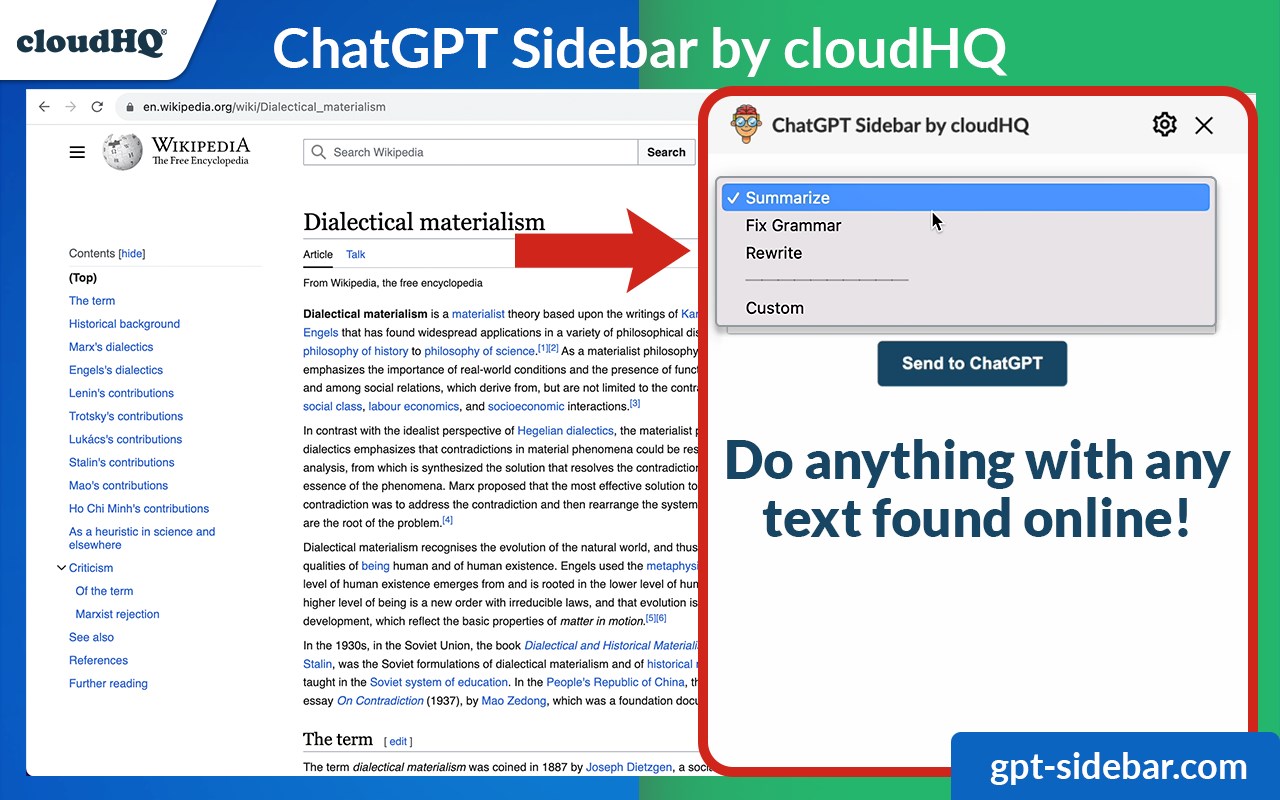
Welcome to the ChatGPT Sidebar by cloudHQ, an AI assistant that emerges from the side of any webpage you browse.
As you navigate different webpages, your email inbox, or any online document, ChatGPT Sidebar can be accessed with just a click of a button. The information you get with this handy sidebar provides you with straightforward knowledge about whatever it is that you're browsing.
Whether you're deciphering a dense article, exploring new topics, or just casually browsing, our ChatGPT Sidebar is designed to enrich your understanding, streamline information, and answer any queries you might have—immediately.
How to use ChatGPT Sidebar?
1. Go to any website
2. Select the text
3. Click on ChatGPT Sidebar icon on the right side of your screen, select the prompt and click on "Send to ChatGPT".
~~~~ 3 Benefits of ChatGPT Sidebar by cloudHQ ~~~~
1. Use ChatGPT prompts across websites for tasks like:
✔️ Summarize
✔️ Rewrite
✔️ Check Grammar
✔️ Translate
✔️ Clarify code
✔️ And even find related pages
2. Access our ready-to-use prompt library, where you can further customize any prompts for your own needs.
3. Full support for both ChatGPT-4 and ChatGPT-3.5
Refine your web experience with ChatGPT, and become smarter in 1 click! 🌟
cloudHQ website: https://www.cloudhq.net/
App website: https://www.gpt-sidebar.com
Pricing: https://www.gpt-sidebar.com/pricing
Support page: https://support.cloudhq.net/category/browser-extensions/chatgpt-sidebar/
FAQ page: https://support.cloudhq.net/chatgpt-sidebar-faq-frequently-asked-questions/
Blog: https://blog.cloudhq.net
Latest reviews
- maggie
- Works on basically every site I've tried it on. News articles, documentation pages, even my email inbox. Hadnt thought about using it in Gmail but being able to highlight an email and get a quick summary or rewrite is pretty handy.
- Eliza
- The code clarification feature is surprisingly good. Copy paste a code snippet, ask it to explain, and it breaks it down line by line. Been using it while going through tutorials and its sped up my learning considerably.
- Favour
- Was looking for something exactly like this. Tried a few other ChatGPT extensions but they all opened in a new tab or a popup window. This one slides out from the side and stays there while you keep browsing. Much smoother experience
- hart
- Great for non native English speakers. I use the translate and grammar check features constantly when browsing english websites. Being able to do it without leaving the page saves me so much time.
- Rosline
- Honestly this has made me better at my job. When I come across technical documentation that goes over my head I just highlight the confusing part and ask for a simplified explanation. Feels like having a tutor sitting next to me
- femi
- Use this mostly for summarizing long articles when I dont have time to read the whole thing. Select the text, hit summarize, and I get the key points in a few seconds. Perfect for staying on top of industry news.
- Ruby
- Having ChatGPT right there on the side of whatever page I'm reading is incredibly convenient. No more switching tabs back and forth. Highlight something, click, and get an answer instantly.