
Save Emails to Egnyte by cloudHQ
Extension Actions
Save any Gmail™ email to Egnyte with one click
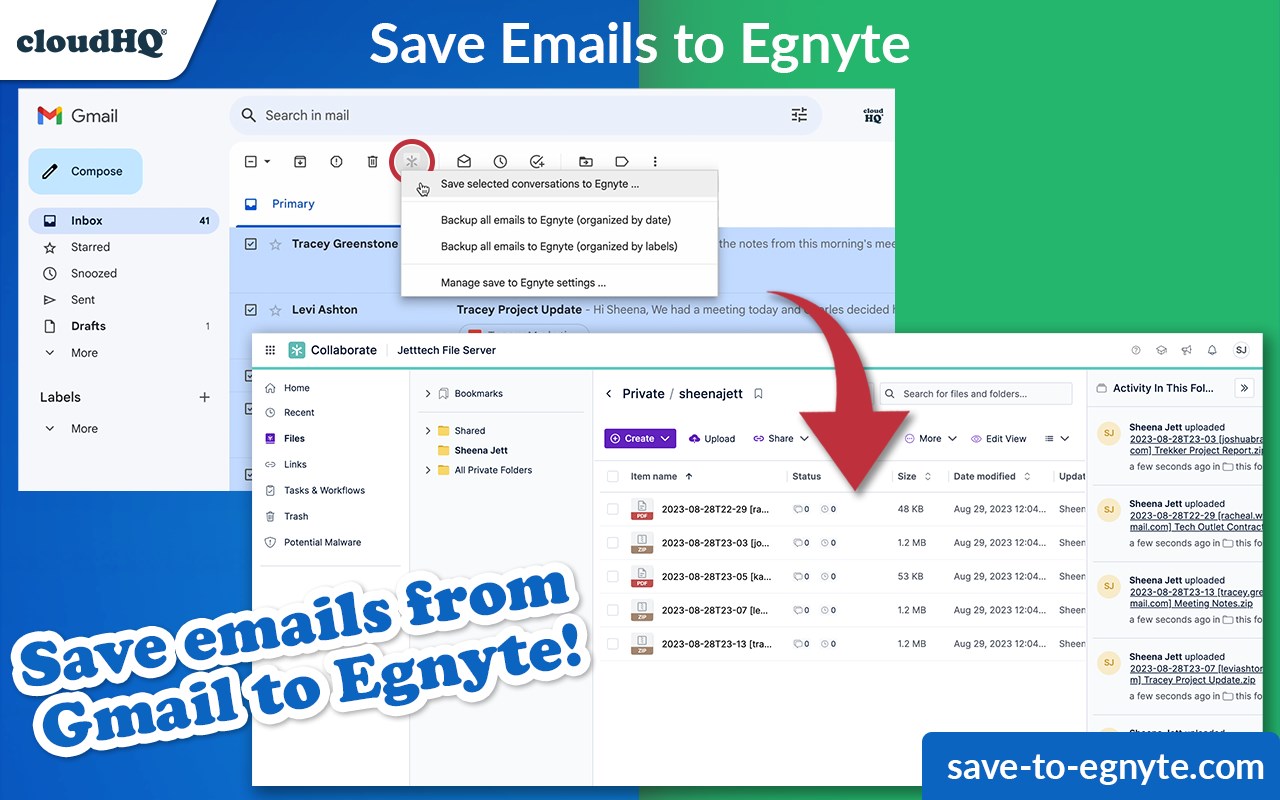
Saving Gmail emails to Egnyte can be a hassle. But with cloudHQ's "Save Gmail to Egnyte," it's really simple! Just click, and save!
You can save:
- One email at a time
- Multiple emails at a time
- All emails at once
- All emails at once, and on a continual basis henceforth
You can also select how you want to save your emails to Egnyte:
- Save each email conversation separately, or combined in one file
- With attachments below the email message, or attachments in a separate file
- PDF, HTML, TXT, EML formats
- The name format for the file name (date first, from, etc)
With its flexible folder structure and metadata tagging, Sharepoint allows you to move through the cloud with ease, and its document version control and alert system let you keep tabs on all your important emails.
cloudHQ. Helping your productivity, 1 click at a time.
Gmail, Google Calendar, and Google Workspace are trademarks of Google LLC. Use of these trademarks is subject to Google Permissions.
cloudHQ is trademark of cloudHQ LLC. https://www.cloudhq.net/trademark
Latest reviews
- maggie
- Way better than the manual workaround we were using before which involved downloading emails, converting them, and then uploading to Egnyte by hand. That whole process is gone now.
- Eliza
- We're a law firm and we need to save every client email with attachments intact. This keeps the attachments either below the email or in a seperate file depending on how you set it up. Either way nothing gets lost.
- Favour
- Pretty straightforward setup. Connected my Gmail, picked my Egnyte folder, chose PDF format, and it just started working. No IT help needed which is rare for anything involving our file systems.
- Odisi
- The continuous save feature is what sold me. Set it on a label and every email that comes in automatically goes to Egnyte without me doing anything. Been running for two months with zero issues.
- hart
- The file naming options are a nice touch. Being able to put the date first makes it way easier to sort through everything in Egnyte later. Small detail but it matters when you have hundreds of saved emails.
- Rosline
- Didnt think I needed this until my manager asked me to pull 6 months of project emails for an audit. If I had set this up from the start it would have already been done. Lesson learned. Its running on all my key labels now.
- femi
- Really like all the format options. We save client emails as PDFs for compliance but some of our team prefers EML for archiving. Nice that everyone can set it up the way they want.
- Ruby
- Our company uses Egnyte for everything and getting emails out of Gmail and into the right folders used to be this annoying multistep process. Now its literally one click. Huge time saver.