
Yandex Music control
Extension Actions
Control Yandex music from any app! You can create a pop-up window with the player or open it in the sidebar.
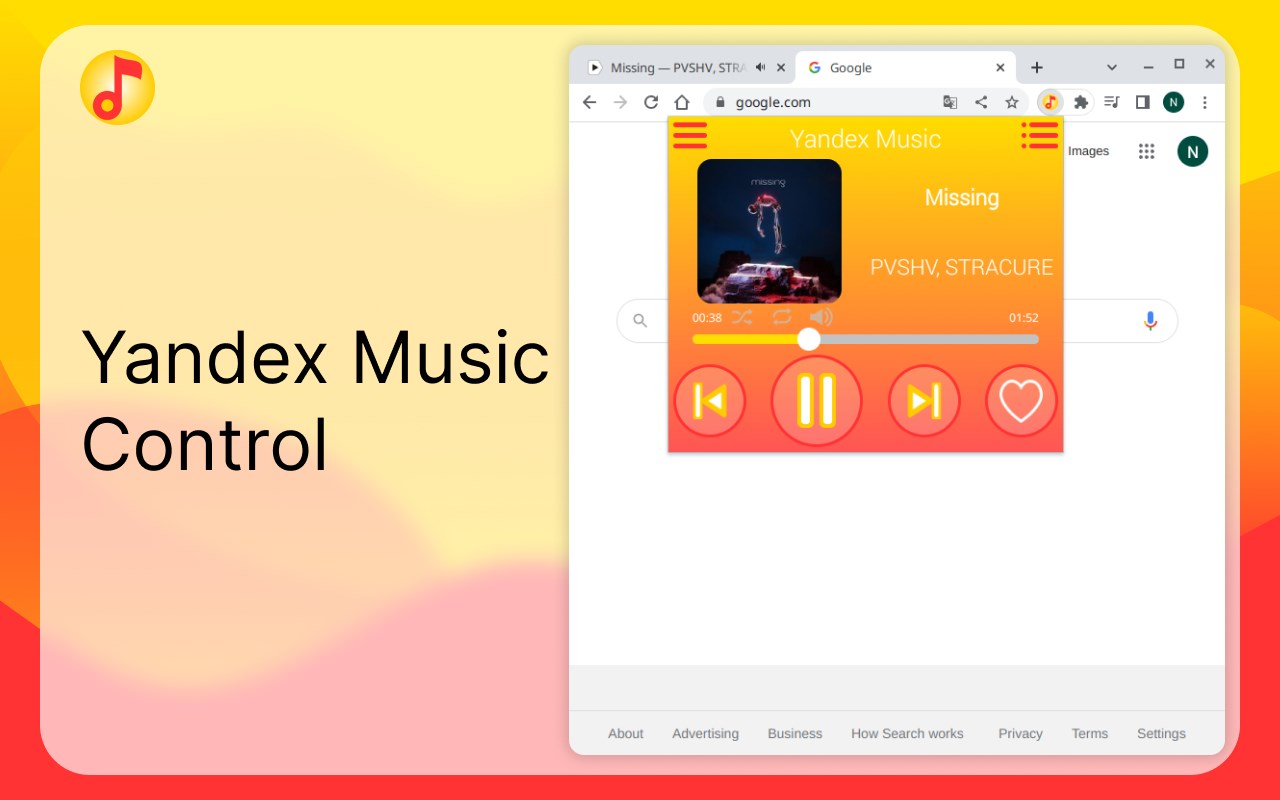
App to control Yandex music from any tabs, windows or apps!
To start using the extension, open a tab with Yandex music and enable your track.
Do not close the tab! Enjoy!
The "new design" of the site is supported. (2025)
An unofficial API is used to work with the new design, since Yandex has not yet provided official support, as it did in the previous version of the interface. Unfortunately, this means that the application may stop working with the new design at any time. However, the application will continue to work in the old design. You can return to it by clicking on the avatar icon in the lower left corner and selecting "to the old design".
The app allows to:
•Toggle a track.
•Add or remove a track from your favorites.
•Use keyboard shortcuts or media keys.
•View and open a cover of any track.
•You can use buttons of this extension or your keyboard.
•When you use your keyboard to control, you can see a track's name in notifications.
Default keyboard shortcuts:
•Add to favorites (Ctrl+Shift+0)
•Next track (Ctrl+Shift+9)
•Pause track (Ctrl+Shift+8)
•Previous track (Ctrl+Shift+7)
To set your own keyboard shortcuts, go to 'edge://extensions/shortcuts'. After changing the settings, you may need to restart your browser.
3.2.0
• Added light color theme.
3.1.0
• The extension is available in the side bar. You can right-click the extension's icon in the toolbar, and then select 'Open in sidebar', or you can click the Open in sidebar icon (Open in sidebar icon), which is displayed next to the extension's name in the Extensions hub.
• The duration of each track has been added to the playlist.
3.0.0
• Added popup window. The window contains the current playlist and player control buttons. The window can be set to different sizes, both very small and large. The window can save position and size if it is set in the settings. In the settings, you can reassign one key combination for opening, bringing to the front and minimizing the window.
• Now you can turn on notifications to see how the song changes every time.
• In notifications, the track icon has rounded corners.
2.4.0
• Now the «dislike» button is available on the main screen (enable in the settings). Also now you can long press the «like» button to dislike a track. Works on the main screen and in the playlist.
2.3.0
• Added dark theme.
• Improved the displayed track list if your current playlist type is radio. Now you can see next 5-7 tracks.
2.2.0
•Toggles available!
Now you can control the volume, repeat and shuffle the music.
• You can also increase or decrease the volume and rewind the track with the mouse wheel!
2.0.0:
• Added a list of tracks of the current playlist. Also you can select track from playlist.
1.5:
• You can now rewind the track.
• Click on the notification to skip to the next track!
1.4:
• Added Integrate with Windows, Mac, and Linux operating systems, tested on: Windows 10, Kubuntu 20.04. (Media Session API)
• Added settings for control show notifications.
1.3:
• Added shortcut button to add to favorites.
1.2:
• Fixed translates.
• Graphical improvements.
1.1:
• Added russian language.
• Small improvements.
• Fixed bugs.
Latest reviews
- may
- Крайне удобное расширение. Есть небольшой минус, временами оно теряет свой функционал полностью, но за лето пользования это было 1 раз до ближайшего обновления. А так, вы можете сделать переключения чисто внутри браузера или же наоборот глобальные, добавлять в понравившееся и так далее. Единственное, через лигу легенд оно все же не пробивается, хотя это наверное и понятно.
- Baranov
- не работают хоткеи на скип\паузу