
FetchFox
Extension Delisted
This extension is no longer available in the official store. Delisted on 2025-09-16.
Extension Actions
CRX ID
pibmlmgljfjfndpingfdkaeeglioecem
Status
- Unpublished Long Ago
Description from extension meta
A ChatGPT-powered web scraper
Image from store
Description from store
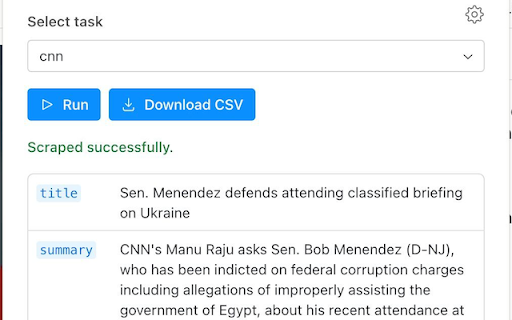
A ChatGPT-powered web scraper that works in three simple steps:
1) Install the extension. Install our extension from the Chrome App store. After installing, make sure to add your OpenAI key to enable access to ChatGPT.
2) Configure your scrape. Create a new scraping job and type in the data you want to extract. Plain English works, for example: "What is this person's job title?"
3) Scrape the data. Visit the pages you want to scrape, and click the extension once per page. When you're done, download a CSV for later use
Latest reviews
- Ralf Westphal
- Did not scrape successfully. Used ChatGPT with a pages text in the clipboard and it extracted the data right away.