
Monochrome Mode: Grayscale browsing
Extension Actions
CRX ID
fmiaojphifnoicpdhhcniiekcpfbkidj
Status
- Extension status: Featured
Description from extension meta
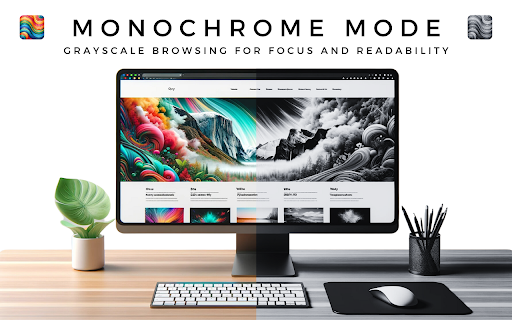
Monochrome Mode: Grayscale browsing for focus and readability.
Image from store
Description from store
Monochrome Mode turns all websites grayscale, giving you a clean, distraction-free browsing experience. It's perfect for reading long articles, coding, or simply taking a break from the overwhelming colors of the web.
Try Monochrome Mode today and see how it can improve your browsing experience!
HOW TO USE?
Activating Monochrome Mode is simple: Just click on the extension icon to toggle between color and grayscale.
Latest reviews
- Rishad JB
- Super easy to use! Just download, activate and refresh any open tabs. Very easy to switch between modes (gray & color).
- Lord Brim
- Didn't work at first but when I refreshed the pages it worked perfectly! Great extension!
- Sophocles Plus
- works perfect i dont know why others say otherwise
- Bluebell Beatnik
- does NOT work
- Alyssa McGinnis
- Didn't work.
- Daniel Pfeiffer
- Works.
- Cyrus Troy Bazar
- It works why? because it works.
- Yosuke Otsuka
- This is amazing! It is so nice that I can turn on and off the monochrome mone in one click, unlike other similar extensions. Thank you for making this, it helped me concentrate on studying.
- Weng Weng
- Well done! It's the best extension for turning webpage grayscale.