
Webpage to HD Image
Extension Actions
- Extension status: Featured
- Live on Store
Convert any web page or local HTML file into a HD image screenshot. Do you want that a HD full length screenshot? No problem.
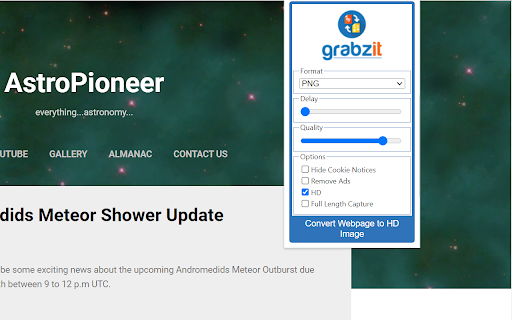
Capture dynamic, high-definition screenshots of any webpage.
Go beyond your screen's resolution with pixel-perfect screenshots of any website or local HTML file. Our tool gives you the power to capture full-page layouts or specific areas, while intelligently hiding elements like cookie banners for a clean image every time.
New Upgrade: Revolutionary SVG Captures
We are excited to introduce support for Scalable Vector Graphics (SVG)! Unlike standard images, SVGs are vector-based and can be scaled to any size without losing quality, making them perfect for professional reports, presentations, and high-quality web graphics.
All The Formats You Need
In addition to the powerful new SVG format, you can save your captures in a variety of standard image formats to suit any project, including high-quality PNG, web-friendly JPG, TIFF, WEBP, and BMP.
Ready to get started? Install the extension and follow the instructions in the pop-up to sign up and begin creating stunning webpage captures!
Latest reviews
- Daniela Ricardo
- The HD quality really makes a difference. Very professional results.
- Bohdan Makar
- Simple, fast, and reliable. Does exactly what it promises.
- James Clark
- Lightning fast and flawless. Saves full webpages as beautiful HD images instantly.
- Henry Leeon
- Finally, a screenshot extension that captures the entire page perfectly—no more stitching!
- Apex Team
- Captures exact colors, themes, and fonts no weird shifts like other tools.
- Walter Owen
- This extension exceeded my expectations. Crystal-clear images from any site, no quality loss. A total winner for pros and casual users alike!
- Daniel Mathew
- Overall: it works well for straightforward pages — but if you need high reliability across diverse sites, you should test first before relying on it.
- Aligah Gabriel
- Exporting to different formats (PNG, JPG, TIFF, BMP, even WEBP) is super helpful depending on what I need the image for.
- Aisha Lordy
- No hassle.
- Alisa Narawit
- Five stars all the way!
- Victor Artem
- This extension is a lifesaver for my design work! Converting full webpages to crisp HD images has never been easier. The quality is stunning, and it saves me hours of screenshots.
- Ahmad Abdulrahman
- rom webpage to BMP in a click—simple brilliance for my workflow.
- William Jacob
- This extension is a game-changer! Captures full-page HD screenshots effortlessly—perfect for my design portfolio.