
Font Manager
Extension Actions
Customize the font for the browser.
Description:
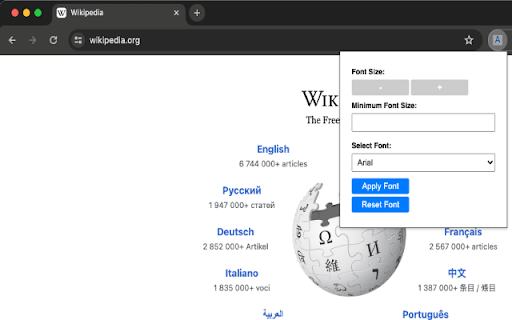
Font Changer is a user-friendly Chrome extension that lets you customize fonts and font sizes on the web. Enjoy a personalized reading experience on your favorite sites with just a few clicks.
Features:
Font Selection: Choose from various fonts like Arial, Times New Roman, Helvetica, and more.
Adjustable Font Size: Fine-tune text size for comfortable reading.
Global Settings: Set default fonts and sizes for a consistent look.
Free and Easy:
Font Changer is completely free. Customize your browsing without any hassle or hidden costs.
Disclaimer:
This extension is provided as-is, without any warranty. While we aim for a smooth experience, Font Changer comes with no guarantees. Use it at your discretion.
How to Use:
Install Font Changer from the Chrome Web Store.
Click the Font Changer icon in the toolbar.
Customize fonts and sizes with simple settings.
Note:
Font Changer respects your privacy and doesn't collect personal information.
Upgrade your browsing with Font Changer — the simple way to tweak fonts in Chrome!
Latest reviews
- Y. O.
- does not work
- Sachi Shika
- Simple, lightweight and gets the job done.