
WebControl
Extension Actions
Student WebControl
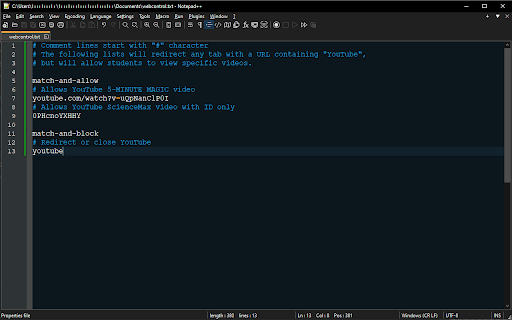
Control student web browsing while on campus:
- When students attempt to access a website, the extension will check the website URL against lists of "allowed" and "blocked" keywords.
- Lists of "allowed" and "blocked" keywords are hosted at:
- http://web-control/webcontrol.txt
- Entries listed under "match-and-allow" list will ignore the "block" list.
- Entries listed under "match-and-block" list will redirect or close the tab if query URL contains a match.
- If the URL contains blocked keyword, it will attempt to redirect student to "redirect URL": http://web-control/index.html
- If the "redirect URL" is unreachable, it will close the tab instead.
Example:
# Comment lines start with "#" character
# The following lists will redirect any tab with a URL containing ".game" or "movies",
# but will allow "allowed.movies.game" website.
match-and-allow
allowed.movies.game
match-and-block
.game
movies