
Accented Letters
Extension Actions
CRX ID
ebngeaihhcglhedbgaogppeeofhhbdpm
Description from extension meta
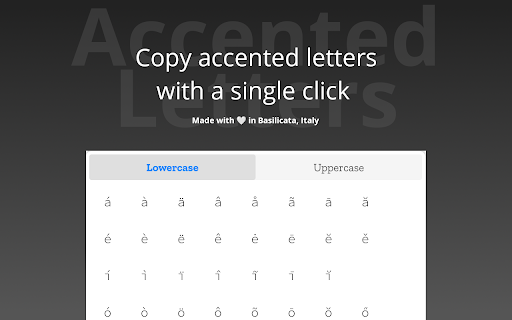
It permits just with a single click to copy an accented letter.
Image from store
Description from store
This extension permits you to copy an accented letter in the clipboard. You can choose if you want to copy a lower letter or an upper letter.
If you want to leave a feedback or just report a bug, please open an issue on Github:
https://github.com/Sav22999/accented-letters-addons.
Latest reviews
- Crystal Identity
- I like that it is easy to use - just click on the icon, and choose Upper Case or Lower Case (I like that the letter sets are separated based on case, as it makes it easier both to view and to use). However, there are three drawbacks. 1. I am annoyed that clicking on an item does not auto-paste to where your cursor was in the text. Instead, the accented letter is saved onto your clipboard, and you have to use Ctrl-V to paste it into the text. 2. The font used for the accented letters is very hard to read at a glance. The lines of the letters look too skinny, and the lower case 'i's are shaped very strangely! I believe a more standard font like 'Arial' would be better. If we could choose the font size when viewing (to help people with visual impairment), it would be even better. 3. The set of accented letters is missing a couple of majorly important ones, such as the cedille C (Ç), which is absolutely necessary in the French language, and the eszett / scharfes S (ß), which is used frequently in German. For these reasons, I am uninstalling the extension. (I switched to Keyboard.cool, which contains all accented letters in all languages, and auto-pastes what I want instantly into my text.) Anyway, if the above issues are able to be updated, I would consider trying it again and upgrading the 2-star rating. Thank you.