
Super Save Image As
Extension Actions
CRX ID
kpmdfgkeanjlpfjpbboopjbhmekafbog
Description from extension meta
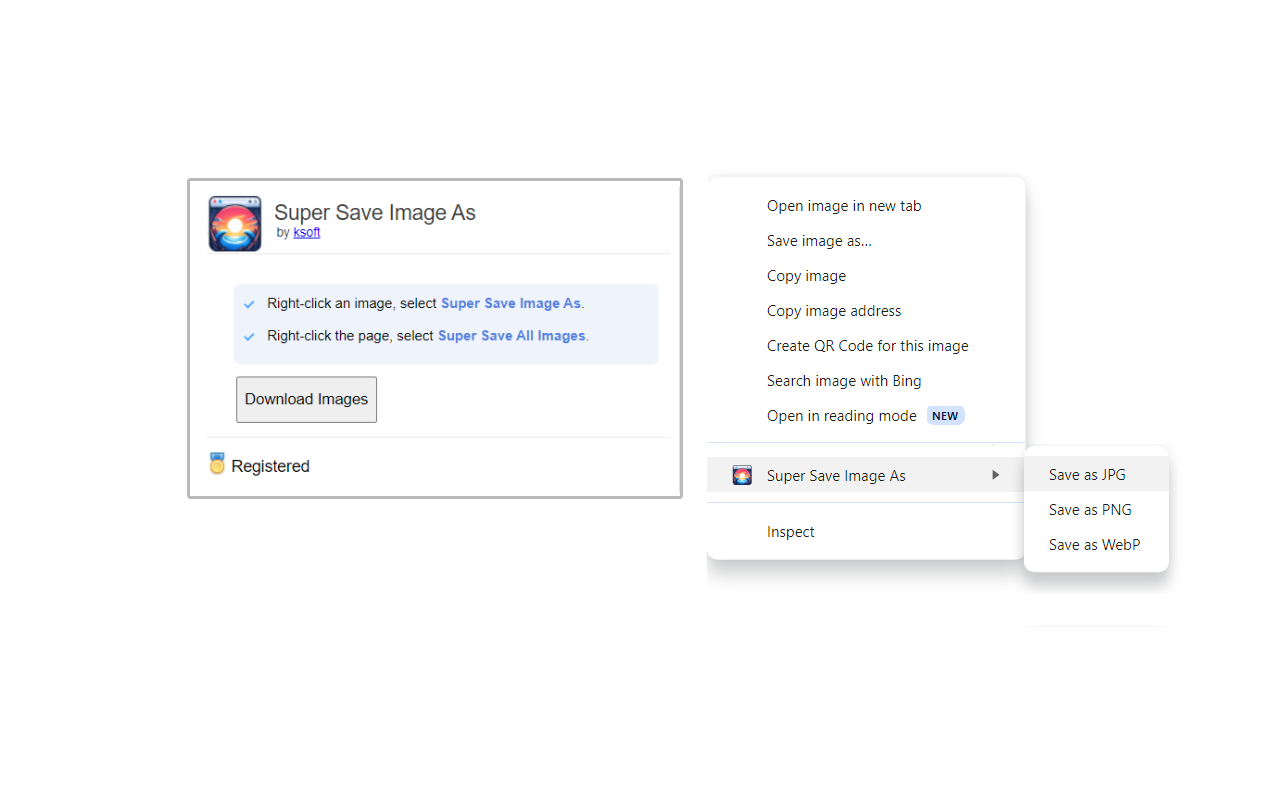
Save images as png, jpg, or webp by right-clicking on an image. Adds a new context menu to save images in a variety of formats.
Image from store
Description from store
Save images as PNG, JPG, or WEBP by right-clicking on an image. One-click to save all images in the page. Adds a new context menu to the web browser to save images in a variety of formats.
* Save images as PNG, JPG, or WEBP.
* Adds a new option in the right-click menu to save images in a variety of formats.
* Click a button to save all images on the page.
The free version allows saving unlimited images (with a limit of 30 images per single batch download). The registered version unlocks unlimited images in a single download.
Super Save Image As is the quickest and easiest way to save images in a web page.
Latest reviews
- Necrox
- Bastante mala. Le das a guardar imagen y no hace absolutamente nada. Ninguna opción de esta extension hace nada. Y para colmo indica que esta limitado el uso y tienes que pagar cada cierta cantidad de imágenes guardadas, que igualmente para mi no funciona nada. No lo puedo recomendar.
- Orlando
- Almost perfect. Unlike many "save as" extensions, it doesn't just pop a download. It opens File Browser so you can name it or relocate it. However, the reason I took off a star is because it doesn't remember the last folder. Maybe this is a limitation of Edge/Chrome, but when I'm downloading product images, I have to download them all first and then move them or I'd have to go to the folder I need every time. Batch download doesn't give option to choose file type, defaults to png, no option to change to another.