SocialFocus
Extension Actions
Hide distractions on social media.
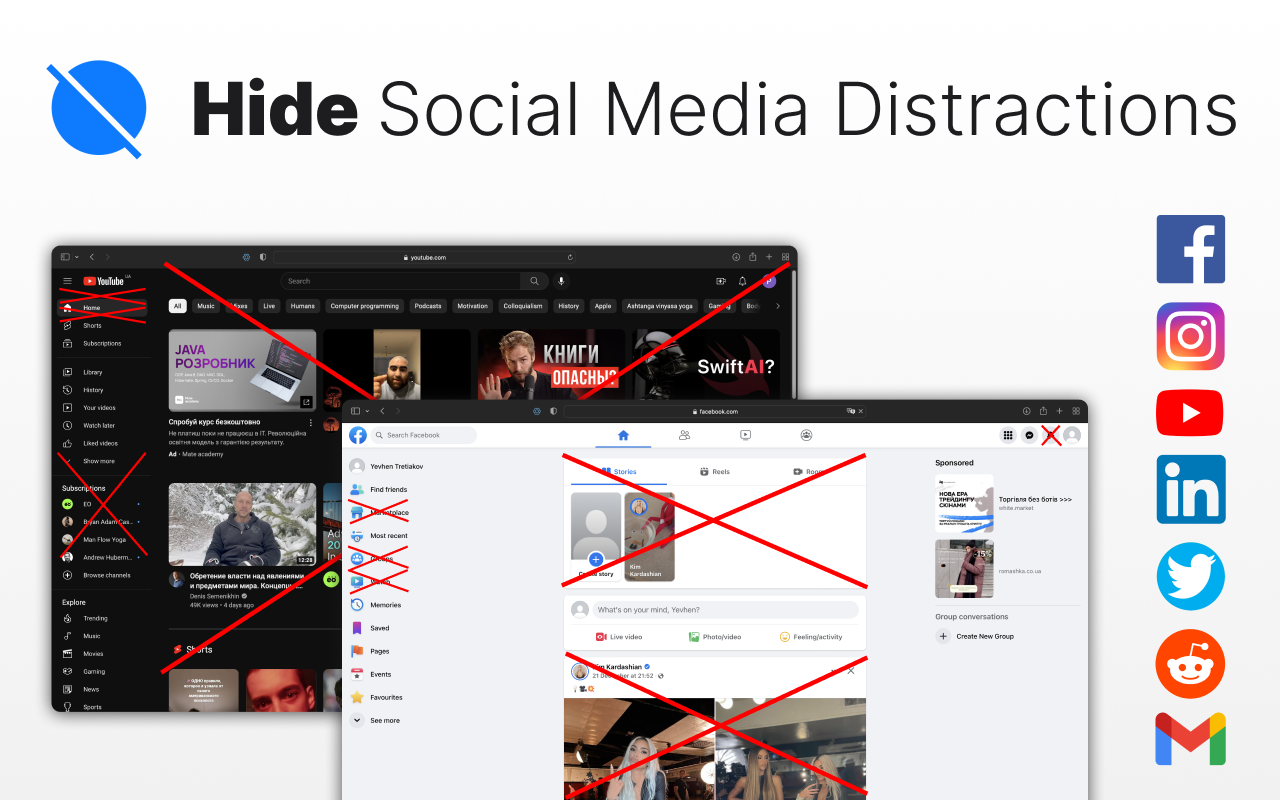
Hide distractions on websites such as YouTube, Facebook, Twitter, Instagram, Reddit, LinkedIn, Gmail and take back control of your attention!
While we acknowledge the distracting and engrossing nature of these sites, completely blocking them is not always feasible due to the valuable content they offer.
Social Focus allows you to selectively hide attention-grabbing components on each site.
For instance, on YouTube, you have the option to conceal recommended videos, shorts, comments, and more. Similarly, on Facebook and Instagram, you can hide the feed, reels, stories, and other elements. The same goes for each supported site.
• Some of 115+ available features:
YouTube:
- Hide Home Recommended Videos, Video Page Sidebar, Related Videos, Shorts, Comments, Explore, Subscriptions, Video Endscreen, Thumbnails
Facebook:
- Remove Home Feed, Stories, Block FB Sponsored Posts, People you may know, Reels and short videos, Suggested Groups
Instagram:
- Block Feed, Stories, Hide Ig Promoted Posts, Suggestions
LinkedIn:
- Hide Feed, Metrics, Ads
Reddit:
- Hide Home Feed, Related Posts, Trending Today, Reddit Premium ads, Recent Posts, Popular Communities, Subreddit Feed, Filter by flair, Rules, Moderators, Comments, Logo Wordmark, Advertise, Chat Button, Create Post, Notifications, Settings Menu, Get App, Log In, Left Sidebar, Moderation, Communities, Recent, Topics, Resources, Popular Posts, Footer
Twitter / X:
- Hide Home Timeline - For You / Following, Timeline Settings Button, Tweet Box, Post Profile Pictures, Images and Videos, Metrics, Post Bottom Buttons, Home, Explore, Notifications, Messages, List, Bookmarks, Communities, Premium, Profile, More, Post, Premium Ads, Trends for you, Who to follow, Footer
Gmail:
- Hide Ads
• Additional actions to make your user experience undistracted:
- Password Protection
- Launch Tweaks
- Export, import, and reset extension settings
- Control the extension dark / light theme and more....
• Available as an extension for:
- Safari: https://apps.apple.com/us/app/id1661093205
- Chrome: https://chromewebstore.google.com/detail/socialfocus-hide-distract/abocjojdmemdpiffeadpdnicnlhcndcg
- Firefox: https://addons.mozilla.org/en-US/firefox/addon/socialfocus/
- Edge: https://microsoftedge.microsoft.com/addons/detail/socialfocus-hide-distrac/dkkbdagpdnmdakbbchbicnfcoifbdlfc
- Whale: https://store.whale.naver.com/detail/hdgbojmfdbijipjddpnefcdliciploai
• Compatible with mobile versions of websites.
• Discover additional apps of mine in the "Try My Other Apps" section within the extension.
• Share Ideas / Report a Bugs:
Latest reviews
- Rakib
- "Hide Reels and Short video" and "Hide Posts from People to Follow" seems not to work
- Fabio
- Works well, very good.
- Gert
- "Hide Reels and Short video" and "Hide Posts from People to Follow" seems not to work
- Valentin
- Útil para disminuir las distracciones en la PC. Acelera el trabajo
- Jim
- it hides stuff but it could not hide the "subscribe" button, which is all i wanted it for, mainly
- ahmed
- mast use it
- Dang
- Great utility to improve concentration when using social media!
- Sonal
- A must have extension for productivity focused people. Have it on all of my browsers. Thank you.
- Naomi
- I don't get why this extension doesn't have any reviews yet. It is hands down the best one I've tried so far! UI is simple and the dev did a really good job at making all the addictive features optional while keeping the websites completely functional. I hope they make one app for android in the near future. Many thanks!