
SnapStream: Screenshot for YouTube
Extension Actions
Capture video frames and transform them into convenient PDF notes, perfect for students and professionals.
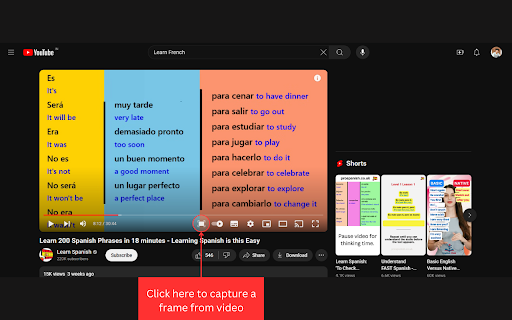
Say hello to your new favorite Chrome extension, designed to make your learning experience on YouTube a breeze.
Picture this: You're watching an insightful tutorial or an engaging lecture, and you stumble upon a gem of knowledge you just have to capture. With our extension, you can effortlessly snap those enlightening moments and compile them into neat PDF.
But here's where the fun begins. Our intuitive interface lets you to rearrange your snapshots until they're just right. Whether you're crafting study guides, compiling research material, or putting together killer presentations, you're in complete control.
Why to prefer SnapStream:
1. NO ADS
2. FOREVER FREE
3. DO NOT COLLECT USER DATA
Ready to take your learning journey to the next level? Try our Chrome extension today and see how easy it is to turn inspiration into action.
v1.3.0+
- Allow users to choose the action of the Capture Button on the video player: either take a direct screenshot or save it for export as a PDF.
- Removed support for Udemy due to security policy.
Latest reviews
- Akhilesh M
- Its not working for udemy screenshots