
Flight Details
Extension Actions
- Live on Store
Flight Details provides easy access to a flight tracker via a widget on your toolbar.
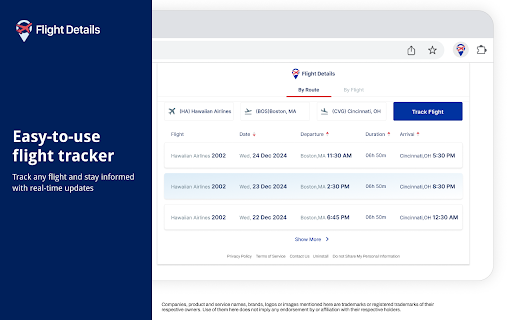
Effortlessly track flights, access real-time flight status updates and other important details with this extension.
How to use the tool:
1. Click the puzzle icon on the toolbar, then click on Flight Details to access the widget
2. Track flights by route or airline to get departure, arrival, and duration details
3. Select a result to view terminal and boarding gate information, and its arrival status
Want to share feedback? Please fill out this form and help us improve the product for you: https://flightdetails.net/public/feedback.html
You can uninstall this product at any time. Please follow the instructions here: https://flightdetails.net/public/uninstall_cc.html
By clicking the button above, I consent to install this Chrome™ extension and abide by its Terms of Service and Privacy Policy.
Chrome is a trademark of Google LLC. Use of it here does not imply any affiliation with or endorsement by Google LLC.
Privacy Policy: https://flightdetails.net/public/privacypolicy_cc.html
Terms of Service: https://flightdetails.net/public/termsofservice_cc.html