
Download
Extension Actions
CRX ID
hfbckmilnhkcajpjifgbonfkkoekhmnp
Status
- Live on Store
Description from extension meta
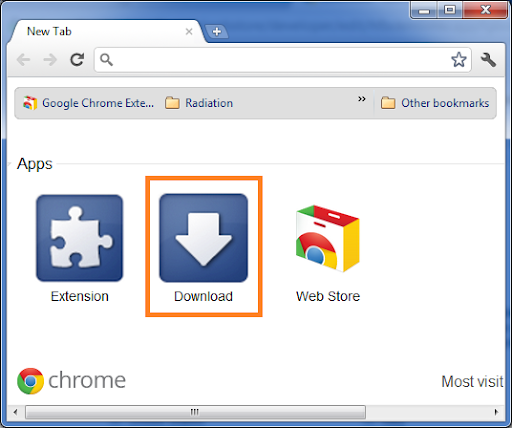
Opens Downloads tab from New Tab and Context Menu. Options available to add/remove it from context menu
Image from store
Description from store
Opens Downloads tab from Apps Tab and Context Menu. Simple.
Features....
1. Open from Context Menu
2. Open from Apps Tab
3. Add / Remove from context menu
One more way to access download
This save some space on Toolbar as compared to extensions.
Note: There is no toolbar button. The button exists on in apps tab (chrome://apps/)
More extensions at http://tejji.com/browser/chrome/extensions/
Thanks,
http://tejji.com
v1.4 - 2018-09-10
- Updated to comply to Chrome Web Store policies
Latest reviews
- KelvinHKY
- Love it!
- Anonymous
- thanks
- Shambel Birhane
- love it.
- Angy Lola
- Excellent
- Sami “Z” Sodomy
- GOOD
- Sean
- just takes me to the chrome download page
- Karsten
- added a instantsearch tooltip... spam incomin!
- PARTYLINE NERDSONBLAST
- i like
- Nasrul Hamid
- Ctrl+J is more useful
- Nia Ramsey
- cool nice to use
- Roger Schrader
- I think the app could be useful, but every time I open chome, 2 pages open up. 1 asking for 5 star rating. The second taking you to the development page. The pages were not part of my homepages. To fix problem, uninstall and give a rating of 1 star.