
Plugins
Extension Actions
A shortcut to Chrome plugins page
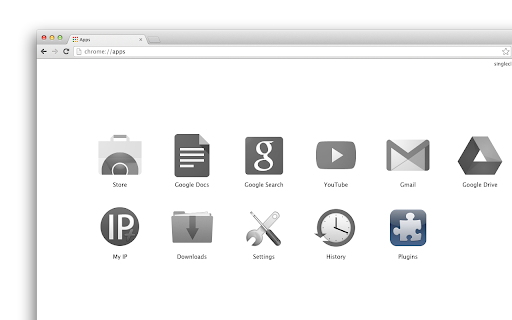
When installed, it will add "Plugins" button to your apps list (on the "New Tab" page and in the Chrome App Launcher).
Click the icon and you'll open the "plugins" menu. Here you can access the internal extension manager (to remove, enable and disable extensions, apps and themes), the "shortcuts" manager (where you can set quick shortcuts for the installed plugins) and the “components” page (which replaced the original plugins page some time ago) is also accessible here.
In the latest versions we added a quick link to the internal Chrome cleaner: useful history eraser where you can clean history, cache and other browsing data. In addition, we integrated the app with our History On/Off extension and now you can stop history recording (and resume it again) with single click. The ability to pause history is not available in Chrome out-of-the-box, that’s why separate history on/off extension is needed if you want this function too work.
Note that this app is also available as extension, which will add the menu to the Chrome toolbar and comes with more features -- with the plugins extension you can control flash player on "per site" basis (allow and block flash on current site). The extension version is not only about controlling adobe flash player -- it adds a shortcut to all the content settings for the current site where you can turn on and of location, camera, microphone, notifications, javascript, flash, images, popups, MIDI devices etc.
Download the Plugins Menu extension here:
https://chrome.google.com/webstore/detail/plugins/mmcblfncjaclajmegihojiekebofjcen
Latest reviews
- abu abu
- its really good work
- abg tiney
- :)good
- Sarah Gibson (Sierra247)
- Love it Google Thank you!
- Leo produçoes
- ok
- Weslei Ronan
- perfect
- Nguyễn Lam
- Good
- Anil Kumar
- good
- Jeff Spradlin
- very helpful.
- Trey Wood
- cool
- S Brown
- brought me to a page that told me this was ONLY a button to chrome plug in page. Then it brings me to the page so I can launch the app. I would had rather had the app launch from the start