
Foxit PDF Editor Cloud: Edit and Convert
Extension Actions
- Live on Store
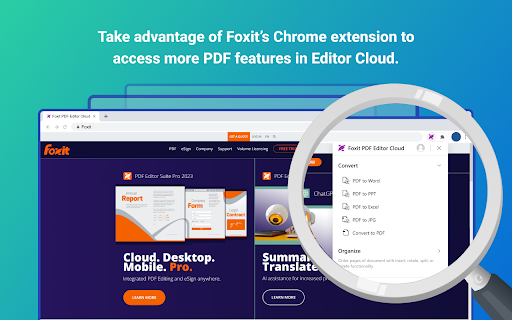
Improve your productivity and simplify online PDF processing with Foxit's Chrome extension.
Introducing the New Foxit PDF Editor Cloud Chrome Extension
Experience effortless in-browser PDF reader and PDF editor capabilities FREE with the Foxit PDF Editor Cloud Chrome extension - so you can create, edit, convert, and annotate PDFs without having to switch applications. This extension is built with speed in mind, so it won’t cause browser lag or cross-team delays.
Foxit PDF Editor Cloud for Chrome: It’s the better, faster, more intelligent PDF viewing experience.
How to Utilize Foxit's PDF Extension:
1. Install the Foxit extension for Chrome
2. Pin the extension for quick access
3. Open any PDF in your browser
Foxit delivers premium PDF capabilities with our unique toolkit featuring:
• Foxit’s award-winning easy-to-use interface
• Simple in-browser PDF editing
• Quick highlighting and annotation
• Insert, rotate, split, and delete PDF pages
• Search the contents of a PDF document
• Click to Convert PDF files
• Streamlined PDF document workflows
And it’s all free to use.
Combine this free Chrome extension with your Foxit PDF Editor Cloud subscription for even more functionality.
• Save PDFs directly to your cloud for easy access on any device
• Collaborate and share files on the cloud
• Open files directly in your PDF editor as your default viewer
• Access powerful AI tools
• Gain access to advanced security features and much more
Terms & Conditions: Your usage of this application is subject to Foxit's General Terms of Use and Privacy Policy, available at Foxit Legal Page https://www.foxit.com/product/terms-of-service.html
Latest reviews
- qRMelツ ِ
- u have to buy to use 👎🏻
- wes d
- constantly asks me for credentials. like every week or so. have to re-enter in order to download the pdf. which is an absurd feature to put behind a paywall, btw.
- Tom Hamilton
- If you don't want to pay $149, use foxit reader not editor. If you download editor it will block sharing until you pay or downgrade to reader. Reader has a typewriter mode that can fill forms fine.
- Benjamin Kus
- Causes many issues browsing many websites. Scroll bar disappears & mouse scroll does not work, page layout negatively affected such as leaving massive spaces between items that should not happen, then I cannot click on buttons or cells that exist. When I turn this extension off, everything is instantly fixed.
- Lara Temel
- Easy tool to view and convert PDF Files. User friendly interface and allows users to go to real application to play with more PDF related tools.
- OSRS R0YCE DA 59
- you can not edit pdf for free
- Bobby Lu
- Using Foxit has significantly improved my experience with handling PDFs. The convenience of opening PDF links directly in Foxit is a game-changer for me. It streamlines the process and saves me valuable time that would otherwise be spent on unnecessary steps. The straightforward and user-friendly approach enhances my efficiency, making Foxit my preferred choice for handling PDF documents. I appreciate the practicality of this feature and how it seamlessly integrates into my workflow, making my overall experience with Foxit exceptionally positive.