
Clean Calculator
Extension Actions
CRX ID
ghfaemembffbogakdodlolpffcegcfkd
Status
- Live on Store
Description from extension meta
A clean and simple calculator app.
Image from store
Description from store
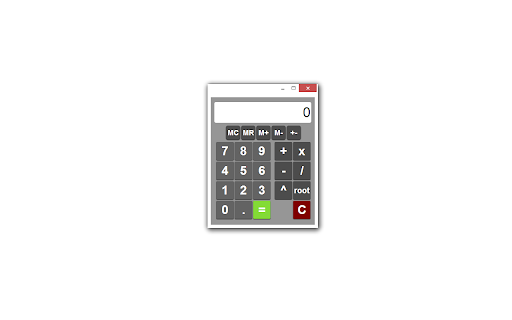
With a clean design and simple functionality, Clean Calculator is perfect for basic calculating needs.
* Also available as an extension! *
Features:
- keyboard input and shortcuts
- single-line history log
- memory functions
- mouse click, keyboard, and number pad input
- small and functional size
Keyboard Shortcuts:
- calculate = "Enter" or "="
- clear = "backspace" or "delete"
- M+ = "P"
- M- = "M"
- MR = "R"
- MC = "C"
- All other operators and numbers = corresponding numbers and operators found on the keyboard
Latest reviews
- Melissa Richard
- I was having a fine time with this app until I noticed that it was changing some of my input and/or adding wild repeating decimals to basic addition problems. Examples: adding 15.26 and 6.25 resulted in an answer of 21.5099999 ?! Trying to multiply anything by .2 or .02 was turned into whole 2, I thought I'd mis-keyed the first time, but it is completely repeatable. Deleting this app and trying another.
- Anonymous
- Great for simple calculation. My personal preference is to have "C" button at the right top side as I subconsciously go there for the clear function.
- Thomas Fernandez
- This calculator, unlike many of the others in the Chrome Store, actually works with the keypad on a standard keyboard!
- Justin Starkenburg
- Simple, clean, effective. Unlike 90% of the calculator apps I like this one because: The window size can be easily changed, functions you actually use are clearly visible, the screen isn't crowded with functions no one actually uses outside of a math class.
- Joshua Naehr
- Completely idiot-proof. I like how you can control the size of it, would be cool if there was a button on the browser that I could just click to bring it up. Awesome app.
- michael bellero
- nice, big keys and simple to use. Love it