
Color Picker
Extension Actions
- Extension status: Featured
- Live on Store
Pick colors from any webpage
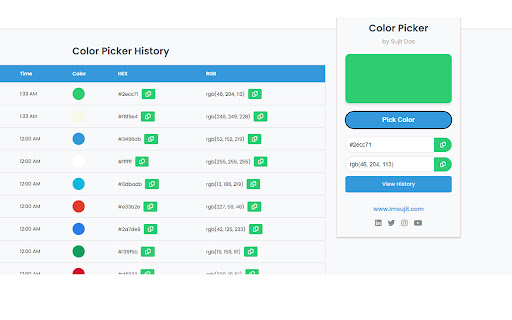
Unlock the full potential of your browsing experience with Web Color Picker & Data Saver! This versatile Chrome extension allows you to effortlessly pick colors from any webpage, making it an invaluable tool for designers, developers, and creatives. But that's not all – it also offers robust data storage capabilities, ensuring you can save and manage important information seamlessly.
Key Features:
-> Color Picker: Easily select and save colors from any webpage. Perfect for web designers, graphic artists, and anyone in need of a reliable color picking tool.
-> Data Storage: Store and manage various types of data directly within the extension. Keep track of important information, notes, and more with ease.
-> User-Friendly Interface: Enjoy a clean, intuitive interface that makes accessing and using the extension a breeze.
-> Quick Access: Conveniently access your saved colors and data anytime, right from the extension menu.
-> Lightweight & Efficient: Designed to be lightweight and efficient, ensuring it doesn’t slow down your browsing experience.
Enhance your workflow with the Web Color Picker & Data Saver – the perfect companion for anyone who values efficiency and creativity in their web browsing.
Latest reviews
- Pritha Mukherjee
- Features no ther color Picker can Give- You Can View History You can see the URLs from where you have picked color(which color with HEX code) Easy To Use You Can Filter the history by date You Can download your History