
Word Blocker - Text Redaction & Pattern Filter
Extension Actions
- Live on Store
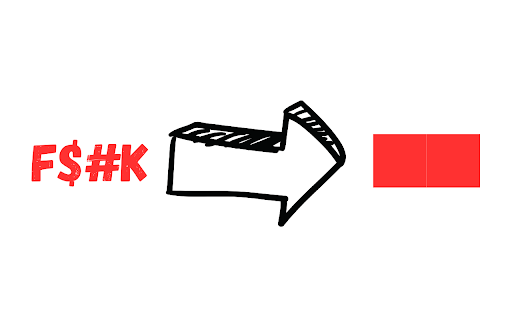
Redact text on any site. Block words, phrases, or patterns. Categorize rules. Import & export rules. Open source. Privacy focused.
🔒 Privacy-First Open Source Content Control for Your Browser
Word Blocker is an open-source browser extension that lets you redact or block specific words, phrases, and patterns across any webpage. Whether you're sharing your screen, avoiding spoilers, or customising your browsing experience, Word Blocker puts you in control.
✨ Key Features:
- Instantly block words and phrases with automatic text redaction
- Create custom pattern filters using regular expressions
- Organise filters into categories (social, politics, profanity, etc.)
- Import/export your filter rules
- Works across all websites
- 100% private - all processing happens in your browser
- Completely free and open source
🎯 Perfect For:
- Privacy-conscious users doing screen sharing or taking screenshots
- Parents and educators managing content for younger users
- Professionals preparing web content for presentations
- Anyone wanting to avoid specific content (spoilers, triggers, etc.)
- Users customising their browsing experience
- Developers building on the open-source codebase
💡 How It Works:
1. Install the extension
2. Enter words or patterns you want to block
3. Optionally organise filters into categories
4. Browse normally - matching text is automatically redacted
🛠️ Advanced Features:
- Regular expression support for precise pattern matching
- Category-based filter management
- Custom pattern syntax for flexible matching
- Word boundary detection to avoid partial word matches
- Import/export functionality for sharing filter rules
🔐 Privacy & Security:
- All processing happens locally in your browser
- No data collection or external services
- Open source code available for review
- MIT Licensed - free to use and modify
🌟 Open Source:
Word Blocker is proudly open source. View, contribute, or fork the code:
https://github.com/con-dog/word-blocker
📝 Pattern Examples:
- Simple word blocking: "example"
- Pattern matching: "word`[^a-zA-Z0-9]*`pattern"
- Categorised filters: "label:category;pattern"
👥 Use Cases:
- Screen sharing: Block personal or sensitive information
- Education: Create safe browsing environments
- Professional: Prepare web content for presentations
- Personal: Customise your browsing experience
- Development: Build on the open-source platform
🔧 Technical Details:
- Lightweight and efficient
- Regular expression pattern matching
- Custom pattern syntax
- Category-based organisation
- Import/export functionality
🤝 Contributing:
We welcome contributions! Visit our GitHub repository to:
- Report issues
- Suggest features
- Submit pull requests
- Help improve documentation
Visit the GitHub repository: https://github.com/con-dog/word-blocker
Latest reviews
- Marvyn G
- figured it out, and it works well. To block multiple obscenities, you press enter so only one rule per line. Thank you.
- Mia
- cannot add anything to the Blocked words list anymore
- Omer_G
- does what it says, blocks it out completely thank you
- Christopher Denyer
- Excellent solution. Works on dynamically generated pages like ChatGPT, which others don't.