
Google Sheets Dark Mode
Extension Actions
- Extension status: In-App Purchases
Dark Mode for Google Sheets
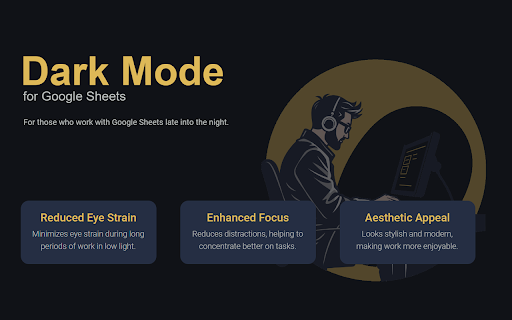
Looking for a way to make Google Sheets dark mode?
This Chrome extension easily enables dark mode for Google Sheets with just one click — giving your spreadsheets a clean, elegant, and eye-friendly appearance.
🌙 Why use Google Sheets Dark Mode?
Working on bright screens for long hours can cause discomfort and fatigue. With Google Sheet Dark Mode, you can switch your workspace to a smooth dark background that helps you focus and protects your eyes.
✨ Key Features:
✔️ One-Click Activation: Instantly turn on dark mode Google Sheets view.
✔️ Customizable Styles: Choose your favorite shades of dark backgrounds and text colors.
✔️ Better Focus: Dark mode minimizes glare and improves concentration.
✔️ Energy Saving: Extend battery life on laptops with OLED displays.
✔️ 100% Compatibility: Works perfectly with all features of Google Sheets.
💼 Perfect for:
✔️ Professionals, students, and data analysts who work in spreadsheets daily.
✔️ Anyone searching how to make Google Sheets dark mode for comfortable night work.
✔️ Users who prefer stylish dark themes in all Google apps.
🔑 About Subscription
This extension includes a 3-day free trial that lets you explore all features without limitations. After the initial trial ends, you can continue using the extension by activating a subscription, which also comes with an additional 3-day free trial.
Switch your spreadsheets to the best dark mode for Google Sheets — reduce eye strain and enjoy a modern, professional look.
Install now and transform your workspace with Google Sheets Dark Mode!
Latest reviews
- Diamantina Korez
- I noticed I get less headaches in the evening. Maybe coincidence, maybe not, but I’m keeping it.
- Moshe Ben
- I deal with budgets and numbers daily. The red and green indicators still pop nicely against the darker background. Nothing gets lost.
- Sergio Redd
- I like that background is dark grey, not pure black. Pure black sometimes makes contrast too extreme. Here it’s more comfortable.
- Amal Samaha
- Why is this a ******* subscription service
- Tom Hall
- why is a theme subscription based?! absolute waste of my time.
- Fasahi Kamaa
- this is the best extension ever,, it has great features and easy to us
- ВПУТЕШЕСТВИИ
- Pretty solid extension.
- Ольга Кравченко
- Works fine together with my grammar extension.
- Maksim Mikhailovich
- My eyes say thank you.
- Retro TBG
- Subscription based, highly attached to ai... If you check what sites this can access, there's 4 different URLs with the exact same content.
- Yaroslav S
- Transparent background on charts becomes opaque and hides the text behind it
- Mikolay
- Been searching for a decent dark theme for Sheets for months. Most of them had weird color bugs. This one is stable and predictable.
- Werner Zagrebbi
- It works well, it supports decent customization with colors and tones, which the other ones I tried lacked
- Андрей Мягков
- I absolutely love the Google Sheets Dark Mode extension! It’s a game‑changer for my late‑night work sessions. My eyes feel much less strained, and the interface looks sleek and modern. Highly recommend!
- Justin
- I work at night after my kids go to sleep, and the bright screen used to light up the whole room. With this extension, the light is much softer. My wife even noticed the difference. Small thing, big comfort.
- James Anderson
- Eyes no longer burning 10/10
- алекксей юзик
- What surprised me is how natural it looks. After a few days I forgot it’s even an extension. It feels like default now.
- Алекс Крит
- I’m a student and often work late in my dorm. The lighting is not great, and the white interface was painful. With this theme studying feels less stressful. I can concentrate longer without eye strain.
- Shantal Yiun
- Large spreadsheets load normally, no extra delay. I was worried about performance impact but didn’t notice any.
- Eugeny Sh
- Very comfortable for long sessions.
- Daniel
- Simple extension, big impact.
- Tamás Barta
- God bless! Works on Opera also
- Karonilna Perez
- Not perfect with some custom themes, but still 5 stars for me.
- Simon
- Looks clean and consistent. Icons, menus, borders - nothing feels off.
- Nirob Siam
- Been using it for a few weeks now. No crashes, no glitches. Performance is the same as without it. Honestly feels like native dark mode from Google.
- Josue Perez
- Overall just a really nice quality-of-life improvement. Not flashy, not overcomplicated, just practical and well made. Five stars easy.
- Sound Profesional
- I tried another dark extension before and it completely messed up dropdown menus. This one keeps menus, sidebars and filters perfectly visible. Even small icons are clear. You can tell some effort was put into details.
- Никита
- Really good dark mode. Simple, clean, no issues so far.
- Haris yaho
- I use conditional formatting a lot for project tracking. Many dark modes make those colors muddy. Here they stay bright enough to notice but not agressive. It feels balanced.
- Pepe
- I spend most of my evenings inside Sheets working on reports, and the default white background was honestly killing my eyes. After installing this, I can work 2–3 hours longer without that burning feeling. It doesn’t break charts or formatting, which surprised me. Feels very natural, like it was always meant to be this way.
- Jeison
- At first I thought colors would look weird, especially red/green indicators in financial tables. But everything stays readable and logical. The background just becomes darker while the data still stands out. That’s exactly what I needed.
- bejeta
- Does not work on Brave
- sosiska666
- Everything remains readable and clean.
- Kandi Mir
- The menus and dropdown lists are still easy to read. Noting overlaps or disappears. That was my problem with other dark modes.
- Semen Ivanov
- Dark but not too dark. Good balance.
- Carlos Ram
- Looks clean on both laptop and external monitor.
- Muri Khan
- I work with product lists and inventories, and this makes long sessions way more comfortable.
- Kevin Garcia
- So clutch in customization and function. Highly recommended !!!
- Александр Никоян
- I appreciate that it doesn’t try to redesign everything. Layout stays original, just darker. It feels professional, not like a quick invert filter.
- Matthew Harris
- Good balance between dark background and readable content. Some extensions go way too extreme.
- Super Hints
- The contrast is well tuned. Text is sharp but not blinding. Even small fonts are readable. That’s rare honestly.
- Kevin Smith
- I was worried screenshots would look strange for reports, but they’re totally fine. That was a pleasant surprise.
- josema gimenez
- I use Sheets mostly at night, and this made a huge difference. My room doesn’t light up like an operating room anymore 😅
- Porcheje
- What I like most is that it works directly in the sheet I’m editing. No switching tabs.
- Jairito Oropeza
- Some custom cell colors look a bit different, but nothing critical. Overall experience is much better than default.
- lara sam 120
- I switch between Docs and Sheets a lot, and having both in dark mode just feels natural now. No more eye shock.
- Ivan Mendelson
- After enabling this, I accidentally opened Sheets without it once — and immediately noticed how bad the white looks.
- Clement Bertillon
- You need to pay
- Георгий cotton
- Works for 3-4 hours and then somehow the "turn on" button switches off and doesn't respond to clicks at all. The only solution for me is removing it from extensions and then reinstalling it. I love the design but this bug is such a bummer.
- Azom Mia
- Finally a dark theme that doesn’t break conditional formatting. That was always the deal breaker for me.