
Video Email for Gmail™ by cloudHQ
Extension Actions
Record and send video directly from Gmail™
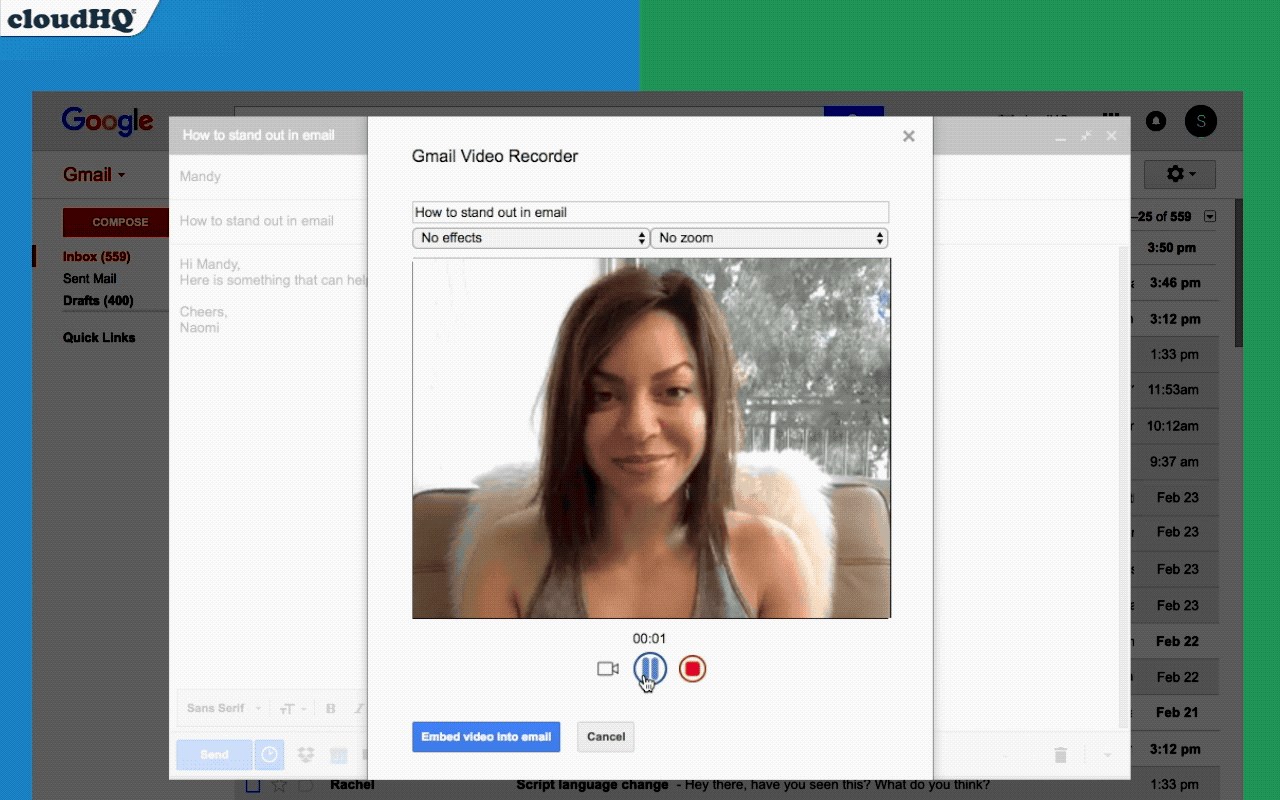
Seeking to make your emails more engaging?
Or perhaps your schedule is too packed to craft an email, but a video message sounds perfect?
Video Email offers a completely free solution, enabling you to record a video, apply various filters, and send it directly via Gmail with just three simple steps: record, upload, and send.
Additionally, you can choose to privately upload your video to YouTube, Google Drive, or save it as a video file to attach to your email.
This tool is perfect for sales professionals, real estate agents, lawyers, marketers, and anyone looking to rise above the mundane text email clutter.
cloudHQ. Empowering your communications.
Website: https://www.free-video-email.com/
cloudHQ website: https://www.cloudhq.net
Pricing: https://www.free-video-email.com/pricing
Support page: https://support.cloudhq.net/category/browser-extensions/gmail_video
Blog: https://blog.cloudhq.net
Google Workspace, Google Sheets, Google Drive, Google Alerts and Gmail are trademarks of Google LLC. Use of this trademark is subject to Google Permissions.
cloudHQ is trademark of CloudHQ LLC. https://www.cloudhq.net/trademark
Latest reviews
- Eliza
- Way better than Loom links in my opinion. The video is right there in the email, the person doesnt have to click out to some other website. Less friction means people actually watch it.
- Favour
- Love that you can save the video to Google Drive or YouTube privately too. Been archiving my client facing videos in a Drive folder so I have a record of everything I sent.
- hart
- The filters are a fun touch. Nothing crazy but enough to clean up the lighting and make you look a little more presentable on camera without needing a whole setup.
- Rosline
- This is perfect for when you have something to say but dont have time to type it all out. Some mornings I just record a quick 30 second video update for my team instead of writing a whole email. Faster for me, easier for them.
- femi
- So easy to use. Hit record, say what you need to say, and it goes right into the email. No exporting, no uploading to some third party site, no messing around with links. Three steps and done.
- Ruby
- Started using this for sales outreach and my reply rates went up noticeably. People actually watch a short video whereas they'd probably skim or ignore a long text email. Wish I had tried video emails sooner