
Text Blaze: Templates and Snippets
Extension Actions
- Extension status: Featured
Create smart text expansions to get more done and streamline your work. Billions of keystrokes saved!
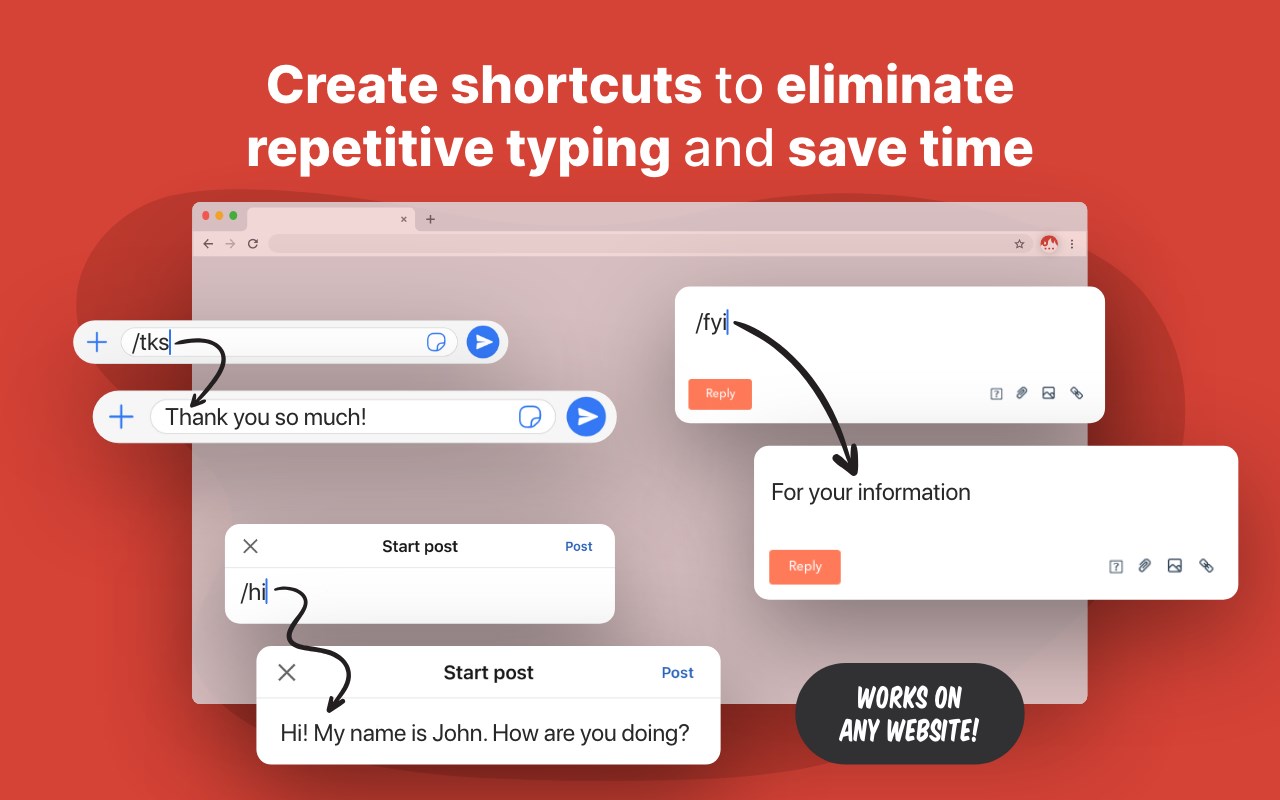
Create smart text expansions to get more done and streamline your work. Billions of keystrokes saved!
Text Blaze has a free plan and multiple paid plans. For details on the features available in our paid plans, please visit our website at https://blaze.today/plans/
Insert text templates anywhere using keyboard shortcuts.
5-star rated, free text expander loved by over 700,000 users in more than 60,000 companies—easy to use, powerful and secure.
Save hours and avoid mistakes by eliminating repetitive typing using customizable templates.
Top Text Blaze benefits:
★ Save hours by automating ANY repetitive typing
Insert standard greetings, commonly used phrases, canned responses, text, calendar links, and signatures. Format and style your templates - change color and size, add pictures, links, and lists.
★ Works anywhere you work
Text Blaze works with text fields on any website. Wherever you are in Edge, the Text Blaze Edge Add-on is there to help you save time.
★ Trusted by over 700,000+ users across the world
Support and sales teams, teachers, health-care professionals, HR, lawyers, students, writers, real estate agents, and users in other roles across the world trust Text Blaze to help them supercharge their work.
★ Use placeholders in your templates - Text Fields, drop down menus and more
Build forms with fill fields that you can edit when you insert the templates. Form fields include text fields, dropdown menus, dates, toggles, and more.
★ Make your template dynamic with the current date, formulas or more
Automatically insert the current date, perform date calculations, including website information, and much more!
★ Supercharge your team with sharing and collaboration
Collaborate on shared snippets to ensure your team always hits exactly the right notes in your messaging. Everyone's snippets are updated automatically when changes are made, keeping team communication consistent.
★ Tab between form fields and select menu options with AutoPilot
Automate form filling or any other workflow you can perform with your keyboard by simulating key presses. For example, you can simulate Tab key to move between form fields.
★ Easily search your templates from any web page
Quickly search your templates from anywhere with the Text Blaze Assistant or right click on any web page to insert a template from a menu.
★ Use Text Blaze everywhere
Text Blaze works for everyone, everywhere. Here’s a few examples:
🤝Customer Support: create shortcuts for frequently used responses, troubleshooting tips, or knowledge base articles. This can be especially helpful when handling multiple tickets at once, on customer support sites like Zendesk, Freshdesk, and Intercom.
🎓Teachers: create shortcuts for frequently used phrases or feedback comments. This can be especially helpful when grading papers on educational sites like Google Classroom, Blackboard, Canvas, and Edmodo.
🩺Healthcare Professionals: doctors and nurses, including veterinarians, can create shortcuts to save time on healthcare sites like Epic, Cerner, Athenahealth, and Allscripts.
💼Recruiting: create shortcuts for frequently used interview questions, email templates, or job descriptions. This can be especially helpful when working on multiple job openings at once, on recruiting sites like LinkedIn, Greenhouse, JazzHR, and Workable.
💰Sales: create shortcuts for frequently used sales pitches, email templates, or proposals. This can be especially helpful when working on multiple deals at once, on sales sites like Salesforce, HubSpot, Pipedrive, and Zoho CRM.
📊Marketing: create shortcuts for frequently used marketing messages, social media updates, or ad copy. This can save time when creating campaigns or managing multiple accounts, on marketing sites like Hootsuite, Buffer, Sprout Social, and SEMrush.
🏛️Lawyers: create shortcuts for frequently used legal terms, clauses, or citations. This can save time on legal sites like LexisNexis, Westlaw, Clio, and MyCase.
🏠 Real Estate: create shortcuts for frequently used phrases or listing descriptions. This can save time when creating listings or responding to inquiries, on real estate sites like Zillow, Realtor.com, and Redfin.
Text Blaze has a lot of other great features, but it's time to give it a try. Simply install the extension to get started!
—
★ Text Blaze in the News:
Fast Company: “This keyboard shortcut secret is a huge time saver in Gmail—and beyond”
Tech Crunch: “Fell in love with the product,” adding that he “wanted to invest as soon as I tried the product.”
Android Police: “Text Blaze is a tool that can save you a ton of time when you need to type the same words over and over.”
—
Latest reviews
- Rock,
- Very easy to use.
- Esteban
- Amazing and useful!
- Poole,
- Fantastic! 90% of my work is online. We even use Microsoft Online version of Word and Excel. This free tool cut my time in half when filling out necessary forms and reduced my typos.
- Christopher
- loved it, until i realized it can only be used online. You can't even access the dashboard offline to manually copy and paste. Espanso is free, local, can be used portably (without installation), and does not require internet connection - use that instead!
- Zachary
- Brilliant, feature rich, fun. Additionally, the customer support is excellent; they offered to have a call to help me get it working and making some snippets to serve as templates. Awesome.
- Matheen
- Wonderful extension for getting things done at a faster pace.
- Kevin
- Awesome, fast, and simple!!
- Ashwin
- Very helpful extension, even for basic users, makes daily work easier and increases productivity with its easy-to-use and powerful commands and integrations.