
Super PiP - Picture-in-Picture with playback controls and subtitles
Extension Actions
Watch videos in Picture-in-Picture mode. A floating window shows up on top of other windows with playback controls and subtitles.
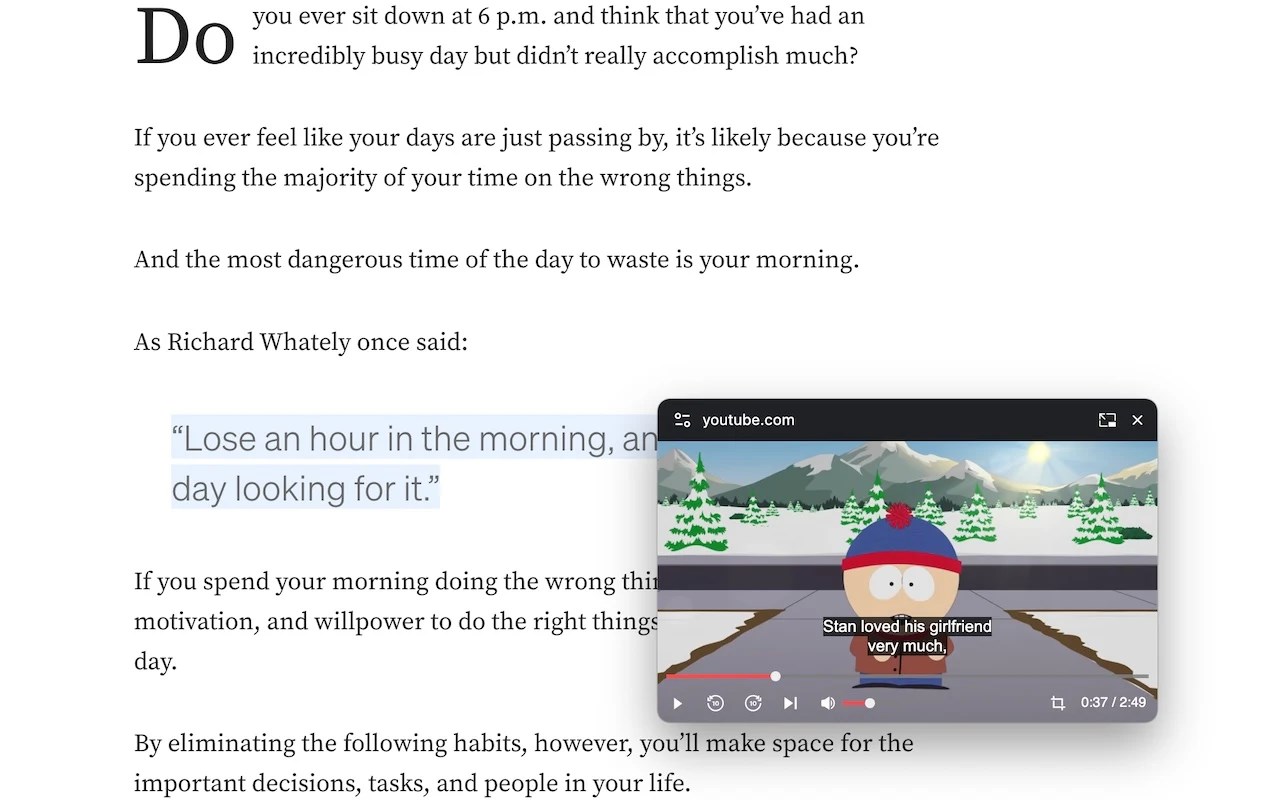
Watch videos in Picture-in-Picture mode. A floating window shows up on top of other windows with playback controls and subtitles.
Playback controls will be displayed so you can:
* Play/Pause the video
* Adjust/Mute the volume
* Forward/Rewind the video
* Change the playback speed
* Play the next video
Subtitles will be displayed if it's turned on. Currently subtitles work on Youtube, Netflix, Disney+ and PrimeVideo (more to come).
The size of the PiP window will be remembered. Next time you open it you will get the same size.
Use hotkey E and S to expand/shrink the PiP window. Otherwise the PiP window will not keep the aspect ratio when you resize and you need to use hotkey C to remove white borders (or the crop button at the bottom right).
Use hotkey Alt+P to toggle the PiP window and below hotkeys when the PiP window is hovered or focused:
* Forward (→)
* Rewind (←)
* Increase volume (↑)
* Decrease volume (↓)
* Pause/Play (␣)
Latest reviews
- Dennis
- Convenient and useful extension — with all the necessary interface features for comfortable video viewing in PiP. The only extension where the PiP window doesn’t turn white (as in Edge) or gray (as in Chrome) when interacting with it. Suggestions: I’d like to have the option to hide the top address bar, and for the window borders to disappear automatically without having to press the 'C' key — that would make it perfect
- Muhammad
- Great extension, subtitle feature is functional. Will use it for longer time. Some improvement can be made: - Remove the top URL - Have option to set Forward/Backward into 5secs - Add button for CC in PiP - Add option to fixed scaling Overall, this is best extension for PiP
- Tai
- This extension didn't work in Edge Version 133.0.3065.82 (Official build) (64-bit). Please fix this one soon.
- A
- superb extension
- kelsey
- Sort of works for subtitles, but if you're in a playlist and it switches videos, the subtitles go back to being on the browser tab instead of the picture in picture. Would be great if they fixed this.
- Huy
- Can you add an option to hide the address bar while still keeping the tab back button?
- demen
- nice
- Kb
- superrrrrrrrrrrrrrrrrrrrrrrrrrrrrrrrrrrrrrrrrrr