
ForceQL
Extension Actions
CRX ID
gkjndnidlhejgojempagajopkfojihgo
Description from extension meta
ForceQL is a Chrome extension for Salesforce, enabling GraphQL queries, real-time insights, and streamlined data access in one tool.
Image from store
Description from store
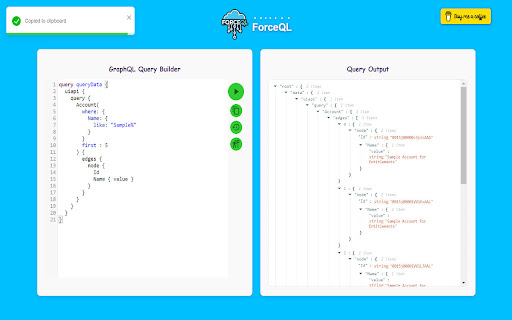
ForceQL is a Chrome extension that enhances your Salesforce experience by leveraging the power of GraphQL.
How to use ForceQL :-
1. Log in to Salesforce and click the ForceQL icon in the browser's top-right corner (Chrome Extensions).
2. Refresh the Salesforce page before launching ForceQL if you are using it for the First Time.
Seamlessly write and execute GraphQL queries, retrieve complex data in a single request.
ForceQL boosts efficiency for Salesforce Developers and Admins.
Latest reviews
- Sikander
- A fantastic Chrome extension that is making easy to run GraphQL queries