Web2PDF - HTML to PDF Converter
Extension Actions
Download web pages as PDF, DOC or TXT. Maintains layout, images and links. Free web content converter for Chrome.
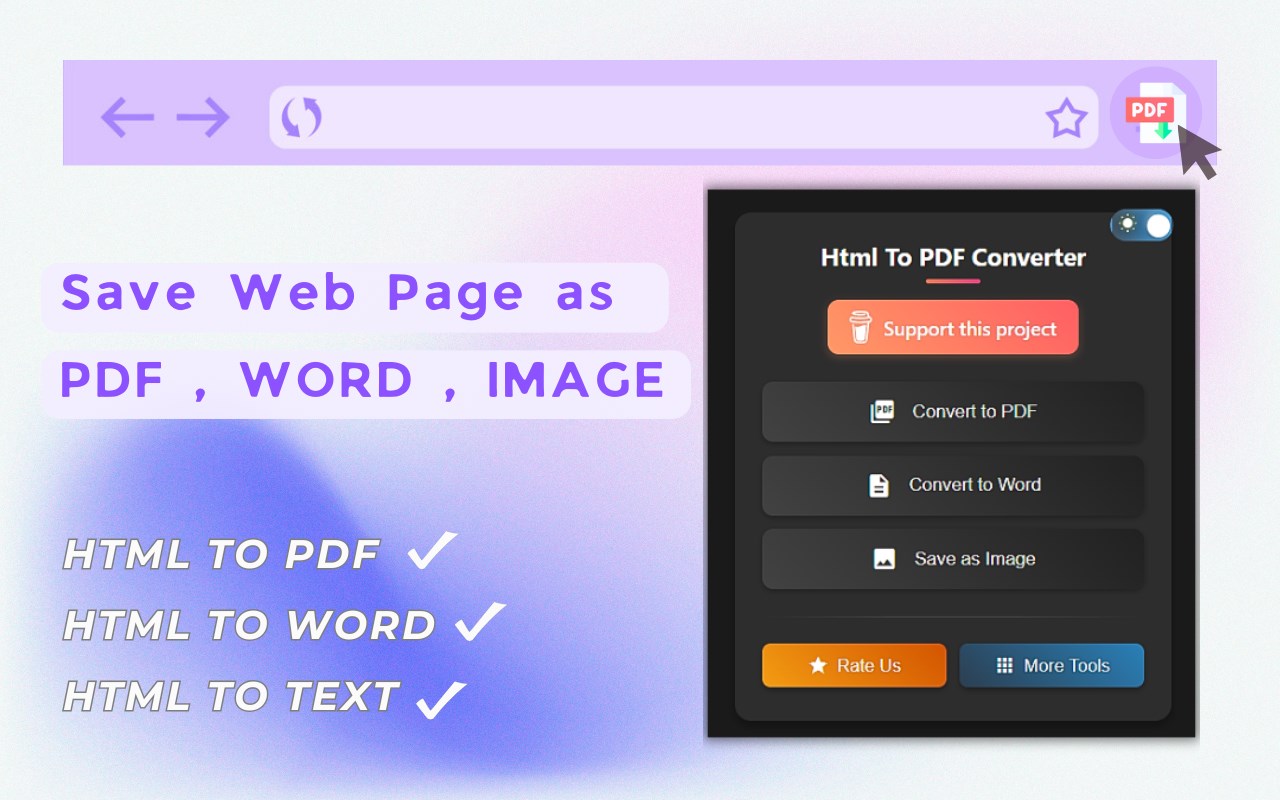
Transform any webpage into multiple formats instantly! Our powerful extension lets you save web content exactly as you need it.
Key Features
Multiple Export Formats
PDF: Save webpages with perfect layout preservation
Word (DOC/DOCX): Convert pages to editable documents
Text (TXT): Extract clean, formatted text content
Images (PNG/JPEG): Capture full webpage screenshots
Format Conversion Capabilities
Convert between DOC and TXT formats
Save documents in multiple image formats
Maintain original webpage formatting and structure
Preserve images, tables, and text layout
Easy-to-Use
One-click conversion from any webpage
Simple format selection
Fast processing speed
Instant downloads
No account required
Free to use
Common Uses
Save online articles for offline reading
Convert web content to editable documents
Archive important webpages
Create backups of online information
Share web content in preferred formats
Extract text from webpages
Capture full webpage screenshots
Technical Details
Works with all websites
Preserves original formatting
Maintains image quality
Keeps hyperlinks active in PDFs
Supports batch processing
Local file processing for privacy
Perfect For
Students saving research materials
Professionals archiving web documents
Researchers collecting online data
Anyone needing offline access to web content
Teams sharing web information
Content creators saving references
Don't let important web content disappear - save it in your preferred format with Web2PDF! Our extension handles all your webpage conversion needs with just a few clicks.
Try it now and join thousands of users who trust Web2PDF for their web content conversion needs!
🎯 Conclusion
Web2PDF - HTML to PDF Converter is your complete solution for saving web content in various formats. With its powerful features, user-friendly interface, and commitment to privacy, it's the perfect tool for anyone needing to save and access web content offline.
Download now and join thousands of satisfied users who trust Web2PDF for their web content conversion needs!
Try all Pro features free for 3 days. No credit card required for installation - upgrade only when you need premium capabilities. After your trial, Pro access is just $3/month (60% off the regular $8 price) for unlimited premium features.
Latest reviews
- Abel
- I’ve been using Web2PDF for a long time and it has generally worked well without issues. I’ve had Pro activated since 12/21/2025. Recently, however, I’ve encountered a problem where clicks on “Convert page to text” and other red action buttons do not register at all. There is no response or action when clicking them. This is occurring consistently on Microsoft Edge. I’ve already contacted Rovelin with related feedback, as this may be a browser compatibility or recent update issue. Aside from this, the extension has been reliable, so I hope this can be addressed if it’s a known bug. Overall, still a useful extension once this issue is resolved.
- user
- no
- 吃冰
- 原理是直接将整个页面截屏拼接成一张长图,没有多大意义,PDF里就是这么一张长图
- ke
- 能否保存PDF格式的时候,默认保存文字格式而不是图像格式,这个不用每次保存都要另外去OCR,不然无法检索。