
File Unzipper
Extension Actions
- Extension status: In-App Purchases
Chrome File Unzipper: Offline compression & extraction for files under 1GB via 7z CLI, offering secure desktop-like performance.
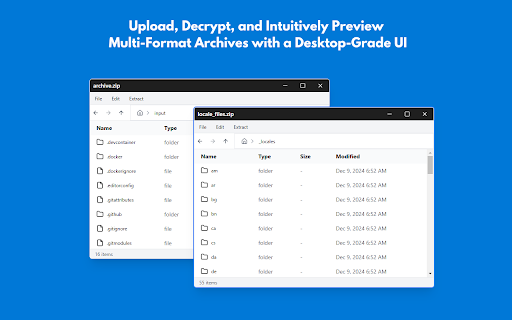
Unzip Files Instantly – Fast, Secure, and Free!
Need to unzip files quickly without installing extra software? File Unzipper is the perfect online file extraction tool that lets you open ZIP, RAR, 7z, TAR, GZ, BZ2, XZ, WIM, ISO, and more directly in your browser.
🚀 Key Features:
✅ Extract ZIP, RAR, 7z, and more – Supports all major archive formats.
✅ One-click file extraction – Simply upload your compressed file and unzip it instantly.
✅ Secure & private – Runs locally in your browser, ensuring data privacy.
✅ No software required – Works 100% online with no installation needed.
✅ Easy-to-use UI – Browse compressed files like a desktop file explorer.
✅ Multi-volume & encrypted archive support – Extract split or password-protected files.
🔗 How It Works:
1. Click the File Unzipper extension icon.
2. Upload your ZIP, RAR, or any supported archive format.
3. Extract and download your files instantly!
Start unzipping files online with File Unzipper today – the fastest and most convenient way to extract ZIP and RAR files in Chrome!
🔹 Download now and unzip your files effortlessly!