
Bulk Save and Rename Images
Extension Actions
- Live on Store
Bulk Save image URLs, rename them, and download all images.
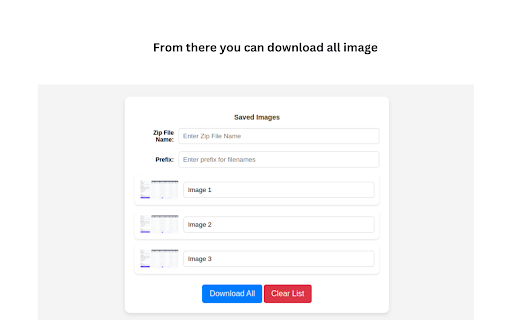
Bulk Save and Rename Images — The Fastest Image Downloader for Chrome
Tired of saving images one by one? Bulk Save and Rename Images is a free, lightweight Chrome extension that lets you download all images from any webpage instantly — with full control over naming, format, and folder organisation.
Whether you're a designer collecting inspiration, an e-commerce manager saving product photos, or just someone who needs images fast, this extension saves you hours of manual work.
🚀 Key Features:
⚡ One-Click Bulk Download
Select and download all visible images from any webpage with a single click. No more right-click, save, repeat.
🔍 Filter by Size & Format
Only want high-resolution images? Filter by pixel dimensions or file type — JPG, PNG, WEBP, GIF, and more.
👁️ Preview Before You Download
Browse all detected images in a clean grid layout before saving, so you only get what you actually need.
✏️ Custom File Naming & Folder Selection
Rename images in bulk using custom naming patterns. Organise downloads into specific folders automatically.
🛡️ Privacy-First & Ad-Free
No data collection. No ads. No tracking. Your browsing activity stays completely private.
🔑 Perfect For:
Web designers & UI/UX professionals
E-commerce sellers saving product images
Content creators & bloggers
Researchers & data collectors
Anyone who downloads images regularly
📥 Install Bulk Save and Rename Images today and stop wasting time saving images one at a time. Fast, free, and built for efficiency.