
QSL World – QRZ Logbook Bridge
Extension Actions
CRX ID
fhdjfpbjgnbiibliopcedechpaomoodm
Description from extension meta
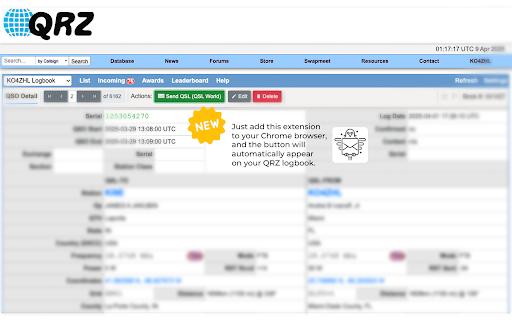
Send QSL cards and view QSO maps directly from your QRZ.com logbook via QSLWorld.com
Image from store
Description from store
Enhance your experience on QRZ.com with QSL World easy-to-use Chrome extension! This extension seamlessly integrates qslworld.com with QRZ logbook, adding a convenient button directly to the logbook for quick access to key features. Save time, streamline your QSL management, and enjoy a smoother, more efficient user experience. Simply install the extension, and you're ready to go!
Latest reviews
- gordon kirby
- No green button 030220261551
- Steve Bachhuber
- I paid them some money and expected to be able to generate a QSL card, no joy there. No more money until the QSL development is working. Could be a cool site
- Larry Ward
- OK, got it downloaded, but couldn't find any green button ANYWHERE, reread the instructions three times. THEN it clicked, it says to PICK A CONTACT, You’ll see a green button in the menu bar at the top of the page. Click on that, it will propagate your contact, fill in any missing info., hope all info is correct. ANY INFO ALREADY THERE, you can't correct those mistakes. SO, I would DOUBLE CHECK EVERYTHING !!!
- Howard Goodman (hogo)
- Sorry, it does NOt work as described with QRZ. Nor does it provide any guidance. Although it appears to be a PC based application (though not described as such), it does not work with MAC OS. Where most developers fail is believing that because they know how to use it, everyone else does. A waste of time and money.
- Edward Mitchell
- Have installed the extension in Google Chrome. When logged into QRZ.COM, no green button for sending a QSL via QSL World appears anywhere.
- John Gomperts
- Followed the download instructions and links running Chrome on my Windows 11 system. The green button doesn't appear in my QRZ.com logbook. Removed the extension and tried again. Same results: no green button.
- Jaap van oosten
- Good idea , QSLworld extension in Chrome is added.but I can not get that button in QRZ my logbook
- Andrei Ivanoff
- Its simple to use and install.