
YouTube Multi-Tool: Skip Sponsors, Screenshot, Popout, Speed & More
Extension Actions
Skip sponsors, take screenshots, pop out videos, control speed, jump time, auto quality & hide clutter — all in one click! 🚀
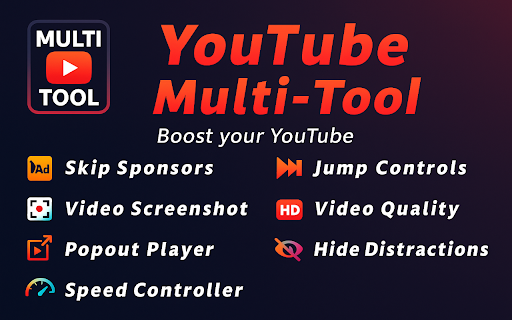
🎬 YouTube Multi-Tool — Your Ultimate Video-Watching Assistant!
Welcome to a world of endless possibilities with YouTube Multi-Tool — the extension that makes every YouTube session smoother, faster and distraction-free. Seven powerful features in one lightweight package:
Feature
What it does
⏭️ Skip Sponsors
Automatically skip sponsored segments and other fluff
📸 Screenshot
Instantly capture crisp video frames
🖥️ Popout Player
Watch in a floating, always-on-top window
⚡ Speed Controller
Fine-tune playback from 0.25× to 4×
⏩ Jump Controls
Skip forward/backward by 10 / 20 / 30 s or hotkeys
🎞️ Video Quality
Auto-apply your preferred resolution (e.g., 1080p)
🚫 Hide Distractions
Remove comments, sidebars & related videos
Enhance your YouTube experience — your way! 🎯
⏭️ Skip Sponsors — No More Interruptions
Tired of forced promotions and repetitive intros? This feature skips right over them.
• Auto-skips sponsor mentions, intros, outros, self-promotion, and more
• Fully customizable: choose exactly which types of segments to skip
• Uses community-sourced timing data — fast and accurate
Enjoy smooth, uninterrupted viewing without lifting a finger.
📸 Screenshot — Capture Moments in One Click
Never miss the perfect frame!
• High-resolution images with zero quality loss
• No watermarks — just pure visuals
• Screenshots stored locally for privacy
How to use:
1. Install the extension.
2. Play any YouTube video.
3. Click the 📸 icon — done!
Perfect for social media, presentations, research and memories.
🖥️ Popout Player — True Multitasking
Watch videos in a resizable floating window while working, studying or browsing.
• Drag anywhere, resize freely
• Window stays on top of other apps
• Ideal for note-taking, tutorials & background entertainment
⚡ Speed Controller — Master Your Time
Zip through slow parts or slow down tutorials.
• 0.25×–4× speed, adjustable in 0.25× steps
• Precision control for learning, reviews & music practice
⏩ Jump Controls — Skip Like a Pro
• Choose a time step of 10, 20 or 30 s
• Click Forward / Backward buttons or use hotkeys:
◦ Windows: Shift + Ctrl + → / ←
◦ Mac: Shift + Command + → / ←
• Perfect for quickly scanning long videos or rewinding to key moments
🎞️ Video Quality — Set It and Forget It
• Automatically forces your preferred resolution (e.g., 1080p) on every video
• Toggle on/off anytime
• If the chosen quality isn’t available, YouTube falls back to the best option
Enjoy a consistent viewing experience without manual clicks.
🚫 Hide Distractions — Focus Mode
Remove clutter (comments, related videos, sidebars) with one switch.
• Cleaner, immersive UI
• Great for studying, working or binge-watching without spoilers
🚀 Why Choose YouTube Multi-Tool?
• Intuitive UI: zero learning curve
• All-in-one: seven features, one extension
• Lightweight & fast: won’t slow your browser
• Privacy-first: everything stays on your device 🔒
• Completely free: no hidden fees, ever 🎉
📖 Frequently Asked Questions
Q: How do I change the jump interval?
A: Click the ⏩ icon and select 10 / 20 / 30 s.
Q: What’s the max playback speed?
A: Up to 4×.
Q: Will Video Quality work on every video?
A: It applies your chosen resolution whenever available.
Q: Does Popout Player stay on top of other windows?
A: Yes, even while you switch tabs or apps.
Q: Does Hide Distractions block ads?
A: No. It hides on-page elements like comments and sidebars.
Q: Can I disable certain types of sponsor skips?
A: Yes. You can choose exactly which types to skip (e.g., intros, outros, self-promotion).
✨ Additional Advantages
• One-click install (seconds to set up)
• Regular updates with new features
• Sleek, minimalist design
• High performance even on older machines
🎯 Conclusion
YouTube Multi-Tool isn’t just an extension — it’s the fastest route to a smarter, cleaner, more productive YouTube. Whether you’re learning, creating or relaxing, unlock a whole new level of control today.
👉 Install YouTube Multi-Tool now and supercharge your YouTube experience!
Latest reviews
- Олена Черевкова
- I really like the video slowdown feature because it helps me learn how to knit more easily
- Alessa hew
- Screenshot tool is quick and reliable:)
- charly gordon
- Popout makes multitasking with videos effortless.
- Natalie Jeferson
- Skip Sponsors saves me so much time! I hate waiting through those long sponsor breaks. This feature works perfectly every time and makes watching videos so much more enjoyable.
- Yaroslav
- Really useful to skip all the sponsor segments. It’s saved me tons of frustration.
- Pajd
- Great Extension im enjoying using it while playing games or doing other stuff
- Ender Nightwell
- Great extension, asks for a review constantly after a few days though.
- Nolan Hower
- Does what its supposed to, reverses one layer of youtube enshitification. last star lost only because of the constant popup asking to review the extension, so here I am.
- Stanislav
- This extension is a game-changer for YouTube! I love how easy it is pop out the video, and control playback speed. Everything works smoothly.
- Steve Burshe
- Really handy extension! I mainly use it for the popout player and screenshots - work just as expected.