
OpenText Secure MFT
Extension Actions
- Live on Store
OpenText Secure MFT
OpenText Secure MFT extension for Chrome
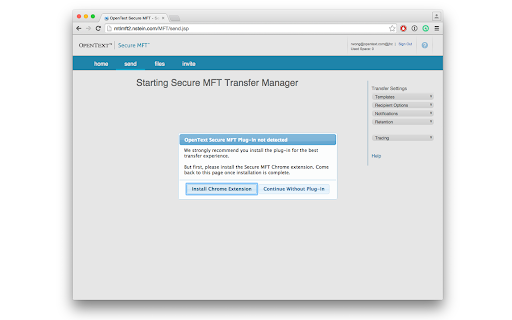
NOTE: This extension works as a conduit to connect Secure MFT user web dashboard to Secure MFT Transfer Manager, and allow file transfers to be automatically offloaded from the web dashboard to the native client. You must have access to OpenText Secure MFT service in order to make use of this extension.
OpenText Secure MFT is an enterprise-grade managed file transfer solution that delivers uncompromising security to safely exchange large files. Key benefits includes:
- Eliminate risk of breaches
- Increase user adoption of a single, secure transfer solution
- Save time and getting more done
- integrate seamlessly into users' everyday workflow
- Provide proof of transfer when you need it
- Increase user productivity
- Save your IT time and resources
- Offer a centrally managed, single source for file transfer
For more information, please visit: http://www.opentext.com/SecureMFT
Latest reviews
- Gerald O
- This product from OpenText does not work correctly. it messed my computer up.
- Gerald O'Dea
- This product from OpenText does not work correctly. it messed my computer up.
- Syafiq Husni
- Does not work! Everytime I tried to send a file a via Chrome, it will say "OpenText Secure MFT plug-in not detected" and ask me whether I want to download the client. The thing is I have already installed the client in my laptop and using it via MS Outlook. I have no issue when using Internet Explorer. The MFT website will elegantly transfer to MFT client.
- Syafiq Husni
- Does not work! Everytime I tried to send a file a via Chrome, it will say "OpenText Secure MFT plug-in not detected" and ask me whether I want to download the client. The thing is I have already installed the client in my laptop and using it via MS Outlook. I have no issue when using Internet Explorer. The MFT website will elegantly transfer to MFT client.