Screenshot-to-Word Tool for QA
Extension Actions
Take annotated screenshots and export them to Word documents for QA testing documentation
Edge Screenshot to Word - QA Testing Helper
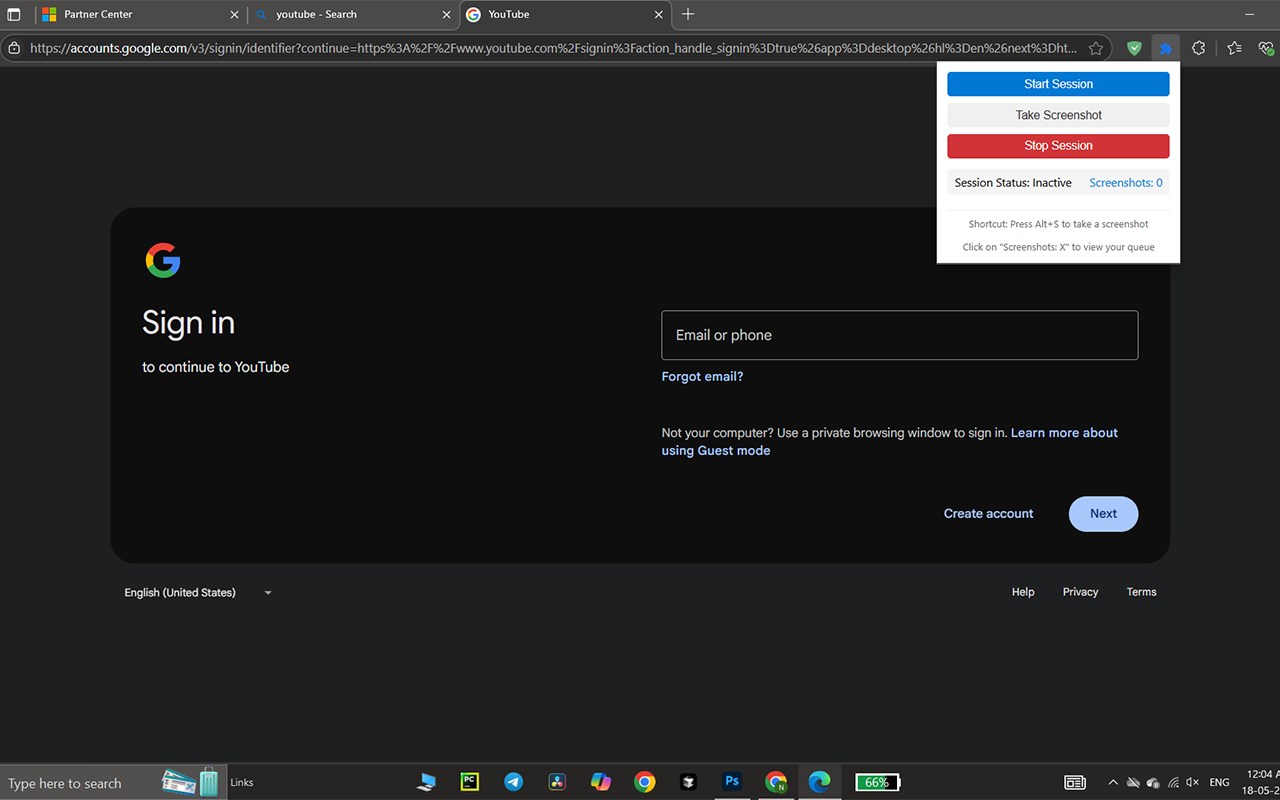
Simplify your QA documentation with this powerful Edge extension designed for testers. Quickly capture screenshots of your browser tab, annotate them with an intuitive canvas, and add optional titles. All screenshots are stored in a session queue where you can review, edit, or remove images — with an easy undo option for accidental deletions.
Once your session is complete, export all screenshots along with their titles and timestamps into a single Word document (.docx) for seamless reporting and sharing.
Key Features:
Start and stop screenshot sessions with ease
Capture screenshots via button or Alt+S shortcut
Annotate screenshots before saving
Optional title input for each screenshot
Manage screenshots in a queue with thumbnails and metadata
Undo accidental deletes in the queue
Export all screenshots to a Word document with timestamps
Perfect for QA professionals looking to speed up their test reporting without switching between tools.