
Cipher BSK Password Manager
Extension Actions
Lightweight password manager using Cipher-BSK’s open-source encryption. Local multilayer encryption; no plaintext stored.
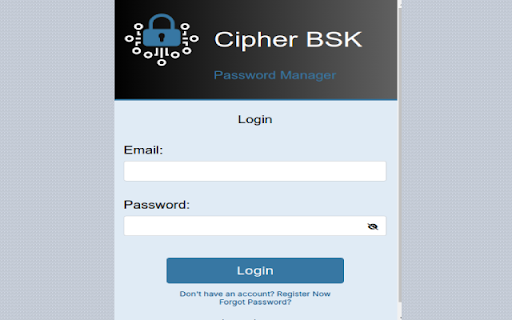
Cipher BSK Password Manager - Secure, Open-Source Password Protection
🔒 SECURE BY DESIGN
• Built on Cipher-BSK, a published cryptographic model
• End-to-end encryption with your master password
• Zero-knowledge architecture - we never see your data
• Multi-layer encryption with customizable rounds
• 12-hour secure session management
🛡️ PRIVACY FIRST
• No tracking or analytics
• Local encryption before storage
• No plaintext data transmission
• Encrypted session management
• Automatic data cleanup
• Open-source and auditable code
⚡ CORE FEATURES
• Secure password storage
• Built-in password generator
• Quick copy functionality
• Cross-device sync
• Auto session recovery
• Chunked encryption for large data
• Firebase secure authentication
💻 USER EXPERIENCE
• Clean, modern interface
• Easy password management
• One-click copy for passwords
• Password visibility toggle
• Secure auto-logout
• Instant password generation
🔐 TECHNICAL HIGHLIGHTS
• Published encryption model
• Firebase Authentication & Firestore
• Chrome Storage API integration
• Memory-optimized encryption
• Automatic session handling
• Secure error recovery
🎯 PERFECT FOR
• Privacy-conscious users
• Those needing cross-device access
• Users wanting control over encryption
• Teams requiring secure password sharing
• Anyone valuing open-source security
📚 LEARN MORE
• Read the published paper: https://www.ijcaonline.org/archives/volume183/number2/saju-2021-ijca-921290.pdf
• NPM Package: https://socket.dev/npm/package/cipher-bsk
• Composer Package: https://packagist.org/packages/sham3r/cipher-bsk
💪 WHY CHOOSE US?
1. Academic Foundation: Based on published cryptographic research
2. True Privacy: Your data never leaves your device unencrypted
3. User Control: Choose your encryption strength
4. Modern Security: Latest web security practices
5. Active Development: Regular updates and improvements
🔍 PERMISSIONS EXPLAINED
• storage: Required for secure session management
• clipboardWrite: Enables secure password copying
• identity: Needed for Firebase authentication
For support or questions:
Email: [email protected]
GitHub: https://github.com/sazzad-saju
Note: This extension is open-source and free to use. Your security and privacy are our top priorities.
Latest reviews
- Salma Tabassum
- Very useful tool ;)