
BetterBugs: Create precise bug reports with 1-click
Extension Actions
One-click bug reports with all the context devs need
One-click bug reports with all the context devs need
Create precise bug reports in one-click, share, and debug using AI
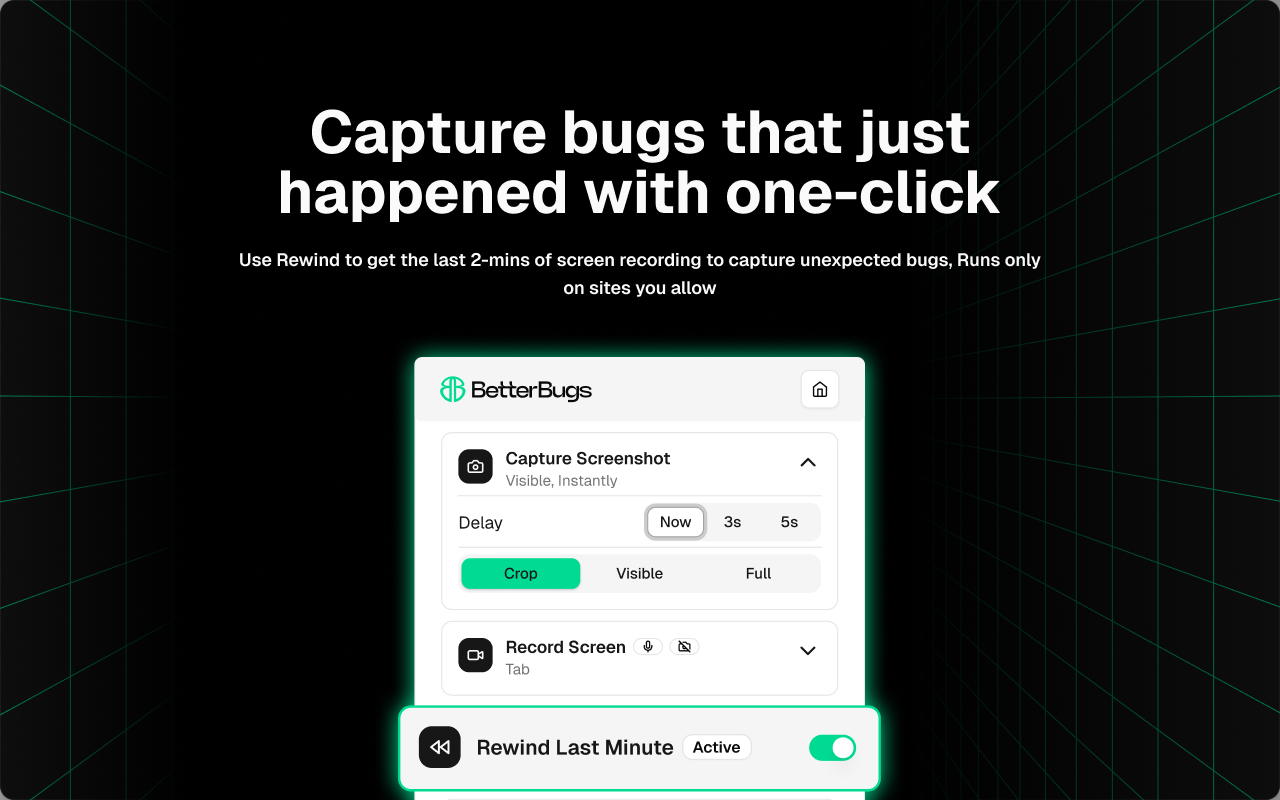
Take screenshots, record screens, or just hit Rewind (to get the last 2-min screen recording) to create visual bug reports - instantly.
BetterBugs.io auto-attaches technical details of the issue with every bug report, for all the context devs need to debug.
TOP USE CASES
Bug Reporting, Bug Tracking, Debugging, Website Feedback Tool, UI/UX reviews, Running Bug Bashes, Beta Testing, Exploratory Testing, QA Overall
BetterBugs.io is PERFECT FOR
Technical and Non-technical users; QA, Developers, Project Managers, Support Teams, Stakeholders
SHARE BUG REPORTS THAT DO NOT NEED FOLLOW UPS
~ Screenshots, Screen Recording, and 2-min Rewind video sessions
Capture bugs as screenshots or screen recordings or Rewind video sessions; Rewind gives you the last 2-mins screen recording for all browser activities at any time; perfect for unexpected or intermittent bugs; Rewind runs only on sites you allow.
~ Add bug details manually or using AI, in seconds
Add details for bugs manually or just use AI to auto-generate bug title, summary, and steps to reproduce.
~ Technical info auto-attached to every bug report
System info, console (warnings, logs, errors), network requests, backend event logs from Sentry, page navigation steps, custom metadata, backend event logs (via Sentry), application state info.
~ Quickly share to your project tools that you already work with
Connect your project tools and issue trackers, such as Jira, Asana, GitHub, webhooks, and many others. Share bug reports manually or using automation workflows - right from your browser.
~ Chat-style AI-Debugger for instant RCA, solutions, and more
Use the integrated AI-Debugger for all BetterBugs reports for AI-assisted debugging sessions; get possible RC, solutions, reproducibility, test cases, and more.
~ Recording Links for gathering end user feedback
Generate and share Recording Links via emails, chats, or directly - to gather feedback as technical bug reports - no setup or account required by end users to share feedback; Support for Intercom
~ Other advanced features (that you can use along with extension)
SDK Widget for Website Feedback, BetterBugs MCP Server, and many more.
For complete info, check out: https://docs.betterbugs.io/
REPORT YOUR FIRST BUG, TODAY!
Install BetterBugs Edge extension to cut-back on endless back-and-forth and faster turnaround times for bug fixes.
Latest reviews
- Mayank
- BetterBugs is an excellent bug reporting tool that is not only easy to use but also allows effortless sharing of recordings. It supports project-wise recording, making it convenient to organize and track issues. While it’s highly beneficial for QA professionals, it’s equally useful for developers as well.
- Aditi
- BetterBugs makes bug reporting effortless and crystal clear — it's like handing developers exactly what they need, no back-and-forth. It’s the kind of tool you wish you had from day one.
- Darshan
- BetterBugs has significantly improved the way I report and communicate bugs. The ability to capture screenshots, screen recordings, and logs all in one click has saved me so much time. I especially love the AI-generated reproduction steps. It’s intuitive, fast, and incredibly useful for any dev or QA workflow.
- Bansi
- BetterBugs is a powerful browser extension that simplifies bug reporting and debugging for developers and QA teams alike. With its intuitive interface and seamless integrations, it enables users to capture issues in real time, attach relevant technical details, and submit reports effortlessly. This not only speeds up the debugging process but also enhances team collaboration and communication. BetterBugs brings clarity, efficiency, and productivity to every stage of issue tracking, making it an essential tool for modern software development.
- Vipul
- BetterBugs is a game-changer! It made tracking and fixing issues so much easier. The interface is clean, the features are powerful, and it integrates seamlessly with our workflow. Highly recommended for any dev and QA team!
- shubham
- As a QA Engineer, BetterBugs streamlines my bug reporting with detailed context like stack traces, screenshots, and environment data. It reduces the back and forth with developers by giving them exactly what they need upfront. It’s a time saver and a must have for efficient QA-dev collaboration.
- Mayur
- As a Project Manager, BetterBugs has become an essential tool in my daily workflow. It helps me report bugs quickly and clearly, which makes communication between QA and developers much smoother. What I really appreciate is how it gives me all the technical details I need upfront — stack traces, environment info, screenshots — so I can investigate issues properly before even looping in the dev team. Saves a lot of back-and-forth. If you're managing product or tech teams, BetterBugs is definitely worth trying out. Simple, effective, and super helpful.
- Haresh
- BetterBugs is an excellent extension that significantly aids developers with quick debugging and enables QA teams to log issues efficiently.
- Gaurav
- BetterBugs is a well-thought-out tool that simplifies bug reporting and tracking for modern development teams. Its user-friendly interface, screenshot/video recording capabilities, and integration options make the QA process smoother and more collaborative.
- Akash
- BetterBugs delivers a smarter, faster way to capture and report bugs directly from your browser. With intuitive tools and seamless integrations, it boosts team productivity and simplifies issue tracking.
- Richa
- I recently came across BetterBugs and quickly made it part of my team's daily workflow. As a product designer, I was tired of broken bug reporting and devs wasting time just trying to understand the issue. BetterBugs fixes that with smart features like rewind, screenshots, and recordings. It's been really helpful for our team so far.
- Rajvi
- BetterBugs makes bug reporting effortless! It captures screen recordings, logs, and other key details in one go—saving us time and making debugging super-fast. A must-have for any QA or dev team!
- Kalp
- BetterBugs has made my daily issue tracking and bug reporting much easier and faster. Its screenshot, screen recording, and "Rewind" features let me capture bugs instantly, while all the technical details (logs, network info, device details) are attached automatically. Thanks to its AI-powered reports and integrations with tools like Jira and Slack, I save a lot of time and avoid endless explanations or meetings. Overall, it’s a huge productivity boost for both QA and dev teams.
- Zeel
- BetterBugs turns messy bug reports into clear, actionable tasks with screenshots, logs, and AI-driven details—making fixes faster and smoother.
- Chetan
- I recently started using BetterBugs: A Fresh Approach to Bug Reporting, and it has quickly become a part of my daily workflow. As someone who deals with testing and product feedback regularly, I’ve tried many bug reporting tools — but BetterBugs stands out with its clean interface, intuitive controls, and time-saving features. The ability to capture and annotate screenshots or screen recordings directly within the tool is a game changer. I especially appreciate how seamless it is to organize, tag, and assign issues without jumping between different platforms. It integrates smoothly with our existing tools like Jira and Slack, which makes team communication and resolution much faster. Since adopting BetterBugs, our QA to developer handoff has improved drastically. It genuinely feels like this tool was built with real users in mind. Highly recommended for teams who want to streamline and improve their bug reporting process.
- Dhruv
- Absolutely amazing tool! BetterBugs has completely streamlined my bug reporting workflow. The UI is super clean, capturing console logs, network requests, and environment info automatically saves so much time. No more switching tabs or manual screenshots — just click and everything's ready! Highly recommend this for any developer, tester, or product team. Game changer
- Divyesh
- One of the most valuable tools for both developers and QA teams. It's easy to use, and the auto-generated steps work smoothly and brilliantly.
- Riya
- It's awesome for the developer to debug the issue with checking all console and network calls.
- Dhru
- BetterBugs is a game-changer for bug reporting in Edge! It effortlessly captures all the crucial details like screen recordings and dev logs, making bug reproduction incredibly fast. This extension has truly streamlined our workflow and saved us so much time.
- Ritik
- Taking screenshots with all available highlights options and can add bugs description as well. All in one place with smooth performance
- Jay
- BetterBugs makes bug reporting fast and detailed, with screenshots, logs & AI-generated steps.
- Nandkishor
- A must-have for QA teams—BetterBug.io captures everything devs need, right when the bug happen
- Prateek
- Reporting bugs is no longer a chore with BetterBugs. It automatically includes all the context I need — from annotated visuals to system info — and lets me share everything in one click. It's quick, efficient, and fits perfectly into my workflow. I highly recommend it for teams aiming to speed up feedback loops.
- Amol
- One of the best tools I’ve ever used! 🛠️ It’s incredibly easy to record sessions, take screenshots, and report bugs 📸🐞 This makes it much easier for both developers and testers to understand and reproduce issues quickly. If you’re a passionate or hardcore tester, I highly recommend trying it at least once. You won’t be disappointed! ✅"
- Jay
- It grabs the browser info and logs for me, so I don’t have to explain everything manually. Best tool for testers for logging issues with screenshot and Video Recording we can directly share link.
- Jayant
- Love how easy it is to take a screenshot and send all the bug details to my team
- Dipesh
- BetterBugs has completely streamlined the way I report issues. Screenshots with annotations, environment data, and one-click sharing — it saves so much time and makes bug reports far more actionable. The UI is clean, performance is smooth, and it integrates well into my QA workflow. Highly recommended for any tester, developer, or product team looking to improve collaboration and reduce back-and-forth.