
Cyber Guardian Security Analytics and Utility Multi-Toolkit
Extension Actions
Cyber Guardian Security is your ultimate tool for security analytics, browser management, privacy and utility.
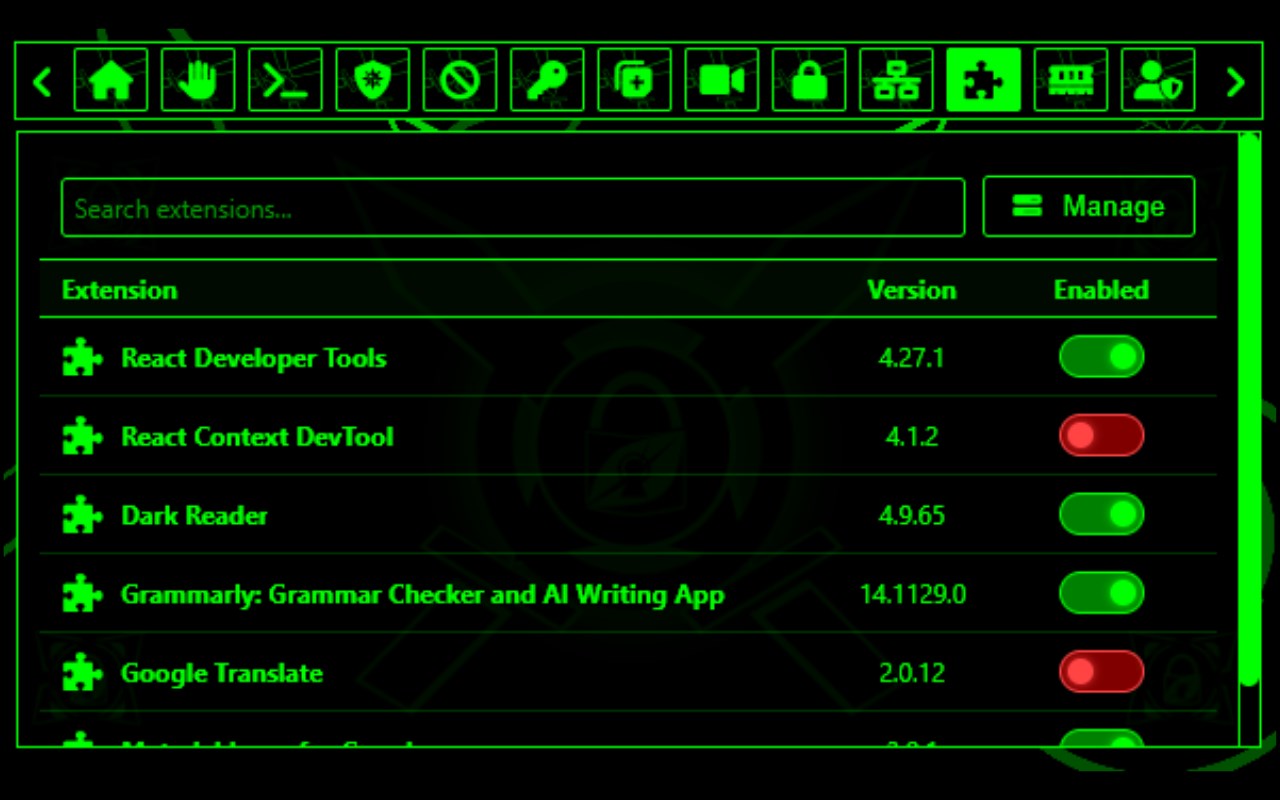
Cyber Guardian Security is your ultimate tool for security analytics, browser management, privacy, and utility. It empowers users with advanced features to inspect, identify, and manage browser activity, resource usage, and interactions occurring in the background of different sites and extensions. By using this information, users can conduct their own risk assessments, take precautions against potentially harmful sites or extensions, and identify issues that may have occurred during browsing.
Users can also take notes, manage passwords, analyze downloads, and monitor stored cookies to draw conclusions about potential risks. This allows them to better understand how certain sites or extensions may perform suspicious activity, what permissions they rely on, and what background processes they initiate. The responsibility for testing, evaluation, and decisions rests entirely with the user. This extension acts as a reconnaissance multi-tool and security management resource, not as an automated security enforcer.
Key Features
Permissions Manager – View permissions currently granted to all open sites, such as microphone, camera, clipboard, geolocation, and more. This helps users identify sites that may request unnecessary or invasive access, acting as a safeguard against potential spyware or tracking.
Memory Usage Stats – Inspect approximate memory usage of different open sites and analyze results for local storage systems such as IndexedDB, Local Storage, Session Storage, and Cookie Storage. This is useful for identifying memory-heavy or suspicious sites and extensions.
Extensions Manager – View and manage installed extensions, including their permissions, descriptions, install types, version numbers, and other details. This helps detect extensions that may have been remotely installed or granted unnecessary permissions, allowing users to disable them for improved security.
Cookies Manager – Inspect, manage, and delete cookies stored by websites. Users can monitor what data sites are storing, evaluate potential privacy concerns, and selectively clear cookies that may be tracking or intrusive.
Downloads History – Review and manage Chrome’s downloads history directly within the extension. Users can view, copy, open, delete, and analyze downloaded files, making it easier to spot suspicious or unwanted downloads.
Password Manager – Securely store and manage saved credentials for different websites. Users can organize login information while keeping track of their accounts in one place, improving both convenience and security.
Notepad – A built-in notepad allows users to document notes, write observations, and log findings while browsing. This is useful for recording potential threats, test results, or general information during analysis.
Device Info – Provides useful system and browser information such as operating system details, user agent, platform type, and browser version. This helps users understand their environment when troubleshooting or analyzing compatibility issues.
Website Locker – Password lock specific sites to keep them private from other users of the device. Anyone attempting to access a locked site will be redirected to a custom lock screen until the correct password is entered.
Website Blocker – Block and restrict access to unwanted or harmful sites. Users who attempt to access blocked sites are redirected to a custom block page, improving privacy, productivity, and security.
Network Inspector – Inspect network activity across open browser tabs, including request types, headers, timestamps, initiators, and URLs. This helps users gain deeper insight into the background communication of sites and identify unusual or suspicious network requests.
CGS Terminal – A command-line interface for quickly running single-word commands to inspect and manage browser activity, reset extension data, and perform utility tasks. Available categories include Browser & Tab Management, Window Management, History & Bookmarks, Downloads Manager, and Cookies & Site Data.
Latest reviews
- Arya
- Even though it looks a bit too 'edgy' for my liking, I'm surprised that a few of the features are genuinely useful to me on a day to day basis. The terminal seems like a nice gimmicky touch lol. Could be a bit more practical in a few areas, but I'd say it's worth a try as an AiO suite for various things that doen't make you open 4 different pages. Gj!
- Kevroy
- Cyber Guardian Security is an outstanding browser extension with a sleek Matrix-style design and serious cybersecurity vibes. Unlike many flashy tools, this one actually delivers useful, real-time information that security professionals can leverage for assessments and analysis. At the same time, it’s approachable enough for everyday users who just want more control over their browsing. From the terminal and network inspector to the secure notepad, password manager, and site controls, every feature feels thoughtfully built and genuinely practical. A perfect balance of style and substance — highly recommended!