
Video Speed Control 视频倍速播放
Extension Actions
Adjust Video Playback Speed, Skip Opening and Ending
# Video Speed Control 视频倍速播放
## Main functions
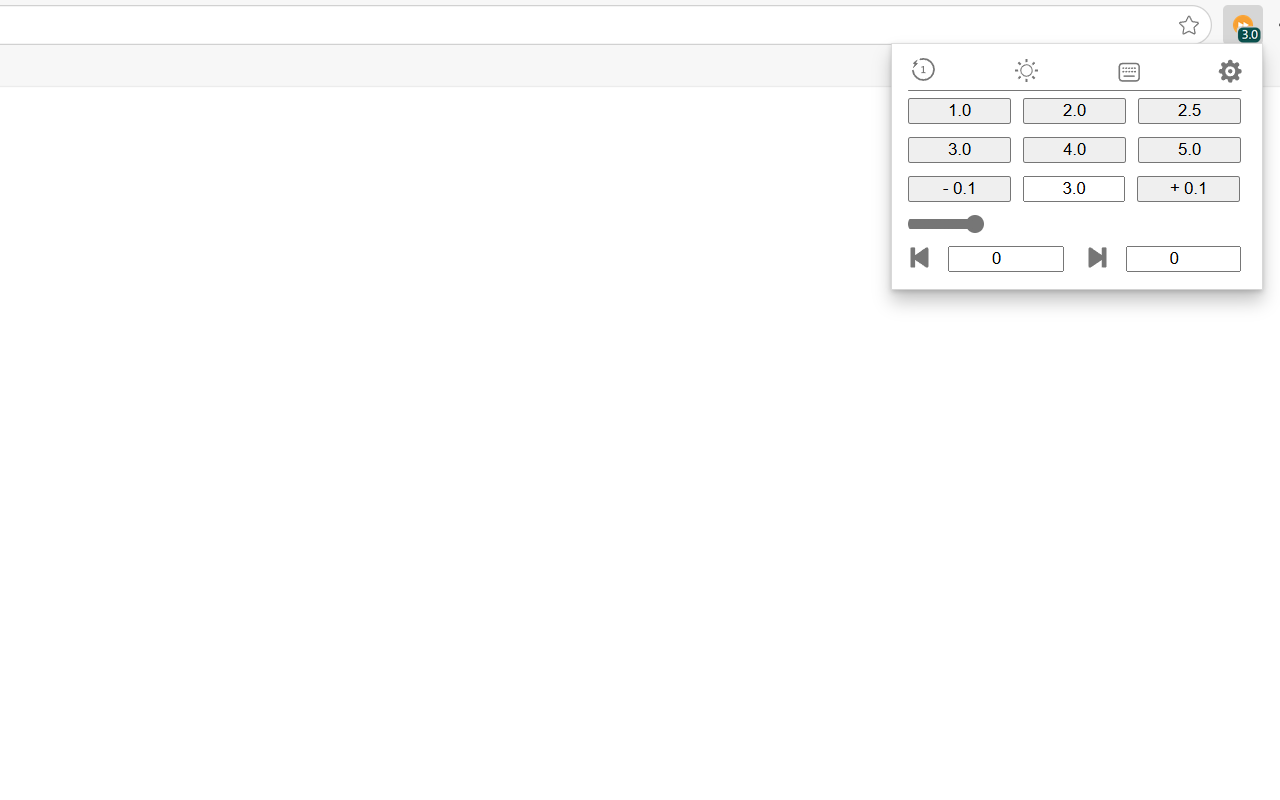
1. Adjust the speed of web video playback
- Common quick button adjustment
- Increase or decrease 0.1 speed button adjustment
- Input adjustment => 0.1-16.0
- Slider adjustment => 0.1-16.0
- Shortcut adjustment => Ctrl+up/down/right arrow
2. Manually set the number of seconds to automatically skip the opening and ending
- Prerequisite for effectiveness, the video length is enough for the total length of the opening and ending
- Each video will only skip once, and manual pull back will not skip repeatedly
- Add the opening and jump immediately, which is equivalent to precise airdrop
- One-click clearing the opening and ending settings shortcut key => Ctrl+left arrow
3. Experience optimization
- Common quick button speed modification => 0.1-16.0
- Automatic playback attempt => Failed once click/keyboard interaction => Failed again manually
- Default web page full volume => Adjust through computer volume
- Shortcut key modification => add 0.1, subtract 0.1, reset 1.0, clear the opening and ending credits
- Speed badge
- Reset speed => 1.0
- Dark mode switch => Use Edge color scheme, default light color
- Chinese and English => default English, Automatically identify the browser setting language
- Short time floating window => When adjusting the speed with shortcut keys
4. Supported websites
1. Personal use: Bilibili
2. Other non-hidden/unrestricted web pages, do not support hidden/restricted web pages
Latest reviews
- Yuyang
- 使用Ctrl+向上快捷键调整倍速时会自动把音量拉到最大,不知是什么原因
- kris
- 百度网盘可以用啊 搭配一个视频播放器就可以实现控制倍速,加字幕以及画质的功能
- flavie
- 希望百度可以用,感谢