
Smart Tab Mute
Extension Actions
Automatically mutes audible tabs based on user toggles and an exclusion list.
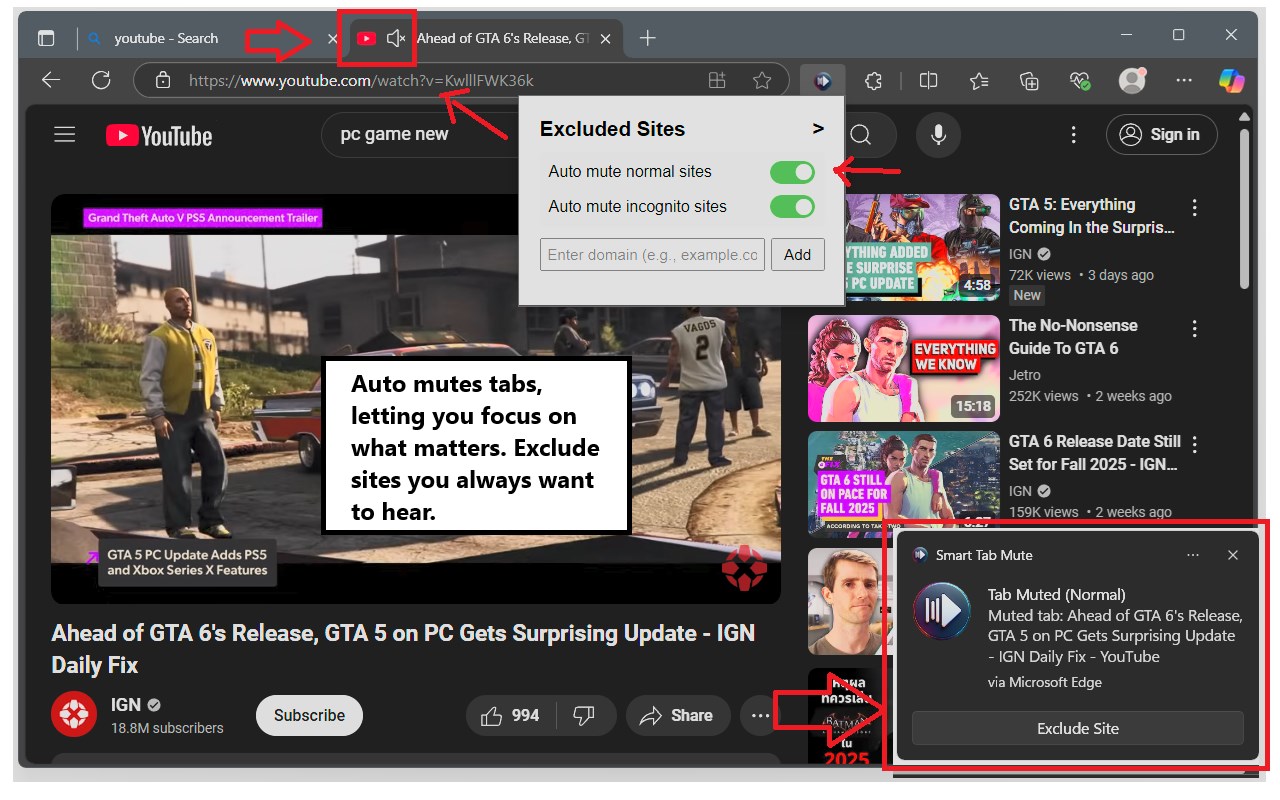
Smart Tab Mute: Automatically mutes noisy tabs, letting you focus on what matters. Exclude sites you always want to hear.
What it does:
______________________________________
Silences noisy browser tabs automatically, unless you say otherwise, with cloud sync.
How to use it:
______________________________________
1.Install.
2.Click the extension icon to open settings.
3.Turn on "Auto mute normal sites" and/or "Auto mute incognito sites" if you want those muted.
4.Add websites to the "Excluded Sites" list if you don't want them muted (right mouse context menu).
"Auto mute incognito sites"
(you may need to "Allow in InPrivate" in your browser's extension settings for incognito muting to work)
Use Cases:
______________________________________
- Stop annoying background noise: You're browsing and a website suddenly starts playing sound you didn't expect or want (like autoplaying videos or ads). This extension will mute it quickly.
- Control sound in incognito mode: If you often browse in incognito and don't want sounds from websites, this automatically mutes them.
- Listen to only what you want: You can set it up to mute most sites automatically, but make exceptions for sites you -do- want to hear sound from (like music or video streaming sites you are actively using).
- Avoid being startled by sound: Prevents unexpected sounds from websites from interrupting you.