
Cesturefy : Naviguer vite avec les gestes de souris
Extension Actions
- Extension status: Featured
L'extension de gestes de souris Gesturefy, acclamée par les utilisateurs, désormais disponible pour les navigateurs basés sur…
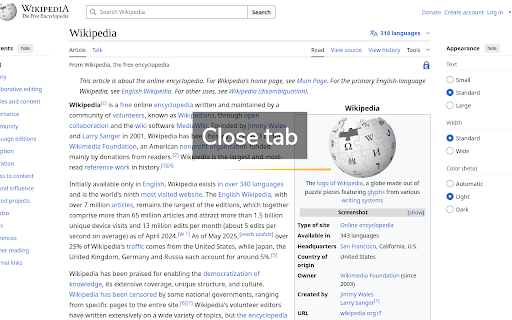
Votre extension de gestes préférée, désormais disponible sur les navigateurs basés sur Chromium.
Cesturefy est une adaptation Chromium de la célèbre extension *Robbendebiene/Gesturefy* pour Firefox, apportant le même contrôle fluide par gestes à Chrome, Edge et autres navigateurs Chromium.
Fonctionnalités
* Gestes de souris (déplacement avec un bouton enfoncé)
* Gestes Rocker (clic gauche en maintenant le bouton droit et inversement)
* Gestes à la molette (défilement avec un bouton enfoncé)
* 79 commandes prédéfinies
* Commandes spéciales : popup, multi-usage et inter-extension
* Style de tracé et d’état personnalisable
* Thèmes clair, sombre et à contraste élevé
Limitations
* Ne fonctionne pas sur les pages internes de Chrome comme *chrome://extensions*.
* La page doit être partiellement chargée.
* Les gestes ne fonctionnent pas dans les iframes.
* Sous Linux et macOS, les gestes du clic droit nécessitent un double-clic.
Latest reviews
- Drevor Tugdale
- Works well except there is an issue with click hit boxes not working if the Rocking Gesture is turned on. A good example is on a google search result page if you wanted to see just video results clicking "video" does nothing. If you click the top most of the hit box it works. Caused me a couple of hours of frustration.
- Kamil Devonish
- Took a lot to move me off of CRX. Popup for closed tabs is ***chef's kiss***
- 罗德贾
- Migrated from SmartUp to a not so popular extension, since it's not available. As that one updated, I came here and found two more new gesture extensions. This one worked perfectly fine and has all the gestures/functions I need. Even I found some more new interesting features. The stroke identification is good, and very quick response. It's small. Only two things mentioned: 1. When re-configure the function/command of a stroke, we need two "save" clicks, one on the command sidebar, the other one on the pop-up configuration tab. The second "save" is below the bottom of the screen, we need to scroll down. So I didn't know that and closed some of my tabs unintentionally... 2. The command "recover tab" / re-open closed tab, when turn on the switch "only this window" it won't work. And the re-opened tab is not at the place where it was. It would be the last in the tab group.
- Thomas Hochstadt
- Finally, after many, many years of waiting, there is finally a reasonably configurable, well-functioning, and reliable extension that brings mouse gestures to Chrome. I never thought I'd see the day. Two thumbs up. Keep up the good work.
- Vika Issaak
- The app isn't bad! But there is one drawback. The backup file created cannot be used in another browser. This backup file only works in the browser in which it was created. This is very inconvenient. If I want to install this app in another browser, I will have to re-register all the mouse gestures.
- Jim Friedlander
- Works very well in Vivaldi. I prefer it to the built-in gestures because of mouse trails and toast.
- Andrei Tanase
- Nice
- Hadi Jamshidi
- Great! Adding a chain of commands feature similar to the AutoControl extension would definitely enhance the functionality of the tool. Thank you very much!