CaptiPrep
Extension Actions
Extract YouTube captions, pick key words/phrases with LLM, and generate study cards.
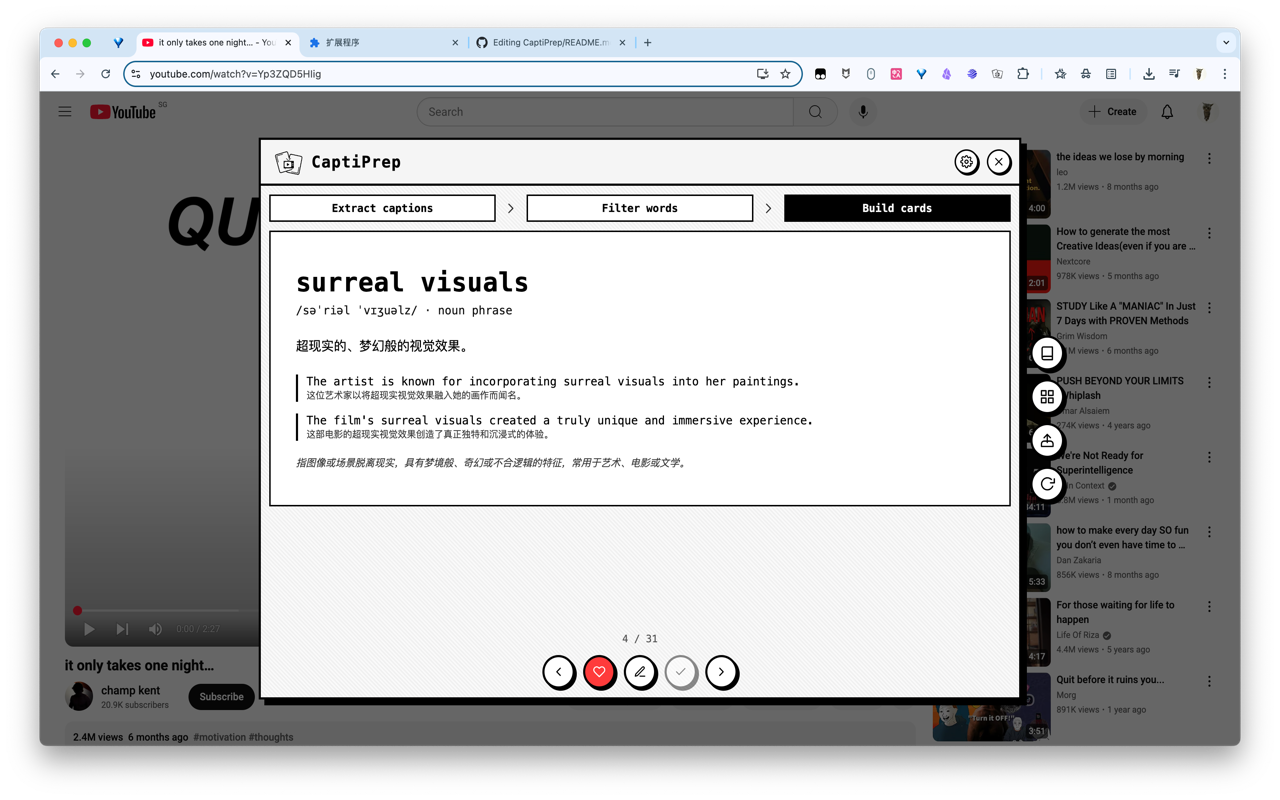
CaptiPrep is an AI-powered tool for English learners that helps you preview key vocabulary and expressions using subtitles before watching YouTube videos. This allows you to watch with a better understanding, following a "learn first, then watch" approach that is efficient and engaging.
**Key Features**
* **Subtitle Preview:** Automatically extracts keywords and phrases from English subtitles.
* **Smart Filtering:** Combines AI pre-screening with manual selection to generate a personalized learning list.
* **One-Click Card Generation:** Automatically creates study cards with definitions, phonetics, example sentences, and notes.
* **Overlay Panel:** Operate directly within the YouTube page without needing to navigate away.
* **Word Notebook:** Saves learning history and favorites, supporting selection, deletion, and export for review.
* **Local Privacy:** API Key and other configurations are stored only on the local options page.
**How to Use**
1. After installing the extension, open a YouTube video with English subtitles.
2. Click the extension icon to open the panel.
3. Extract subtitles → Select words/phrases → Generate cards → Learn.
4. Open the "Word Notebook" from the right-side entry to review and export.
**Settings Instructions**
* Configure your LLM provider, model, and API Key (locally stored) on the "Options Page."
* Currently supports OpenAI, Claude, Gemini, and OpenAI-compatible providers.
* It is recommended to use videos with English subtitles for the best results.
With CaptiPrep, transform "watching videos to learn English" into a planned, reviewable, and context-based efficient learning process.
Multi-language support will be added in the future, allowing people from various countries to learn different languages through CaptiPrep!
Latest reviews
- Sparke
- 提示“没有可提取的字幕”,选项设置,api也设置了,也获取模型成功了,视频都是跟演示里一样的视频,但还是提示“没可提取的字幕”,希望能有个配置的教程