
ClipClop
Extension Actions
Persistent clipboard manager with nicknames
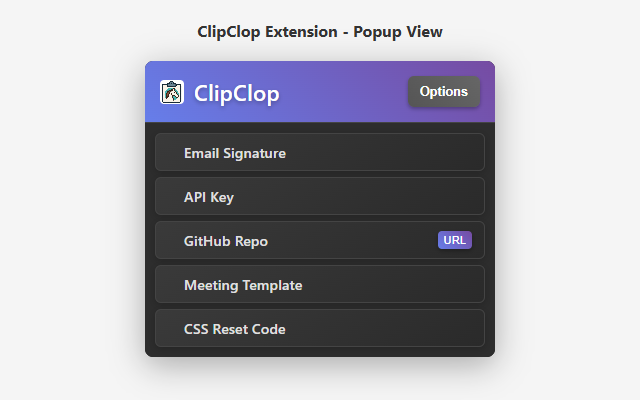
Save, organize, and access your frequently used text snippets with one click.
➤ What it does:
ClipClop lets you save text snippets with custom nicknames and copy them instantly. Perfect for developers, customer service, writers, and anyone who repeats the same text frequently.
➤ Key Features:
⚡ One-click copying - Click any saved snippet to copy it instantly
🏷️ Custom nicknames - Organize snippets with memorable names
🎯 Drag & drop reordering - Arrange items by priority
🔗 URL integration - Attach and open links directly
🔒 Encrypted backup - Export/import with AES-256 encryption
🌙 Dark theme - Clean, modern interface
☁️ Browser sync - Access snippets across all your devices
➤ Security:
🛡️ AES-256 encryption for exports
🏠 Local storage only - no external servers
🚫 No tracking or data collection
➤ Perfect for:
💻 Code snippets and commands
📧 Email templates and responses
📞 Contact information
⌨️ Frequently typed text
📚 Links and documentation
➤ How to use:
1️⃣ Install and click the extension icon
2️⃣ Go to Options to add your first snippet
3️⃣ Click any snippet in the popup to copy it
4️⃣ Drag items to reorder them
Simple, secure, and incredibly useful for boosting your productivity!
Permissions: Storage (save snippets), Clipboard (copy text), Tabs (open URLs)