
Midcloud Browser - Sidebar Browser with Toolbar
Extension Actions
- Live on Store
A Chrome extension with a sidebar browser featuring a bottom toolbar with home, reload, address bar, and settings.
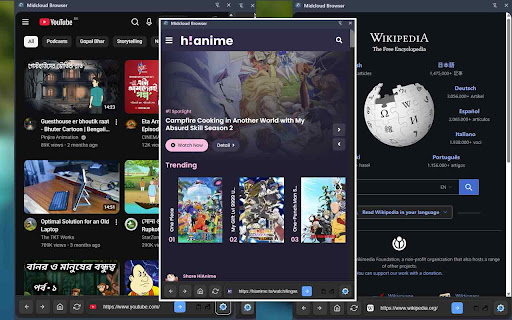
Midcloud Sidebar adds a fast, lightweight mini sidebar in the Chrome side panel so you can explore the web without leaving your current tab context.
features:
* Integrated side panel browsing: Back, Forward, Reload, Home, address bar + Go.
* Smart input: Type a URL (auto protocol) or a search query (Google search).
* Voice search: One‑click speech recognition (where supported).
* Image search shortcut: Direct Google Images query from the home screen.
* Favicon, page title, copy link, and “Open in new tab” actions for the current page.
* Recent links: Automatic, privacy‑friendly list of your last sidebar visits (local, capped to 10).
* Shortcuts grid: Add/remove your favorite sites (synced across devices).
* Theming: Auto (system), Light, Dark.
* Custom Home: Set any URL as the Home page.
* Custom background: Upload an image or supply a URL for a blurred home backdrop; easily clear/reset.
* Media volume enhancements (optional): Default volume and mouse‑wheel volume control for audio/video in the panel.
* Privacy & storage: Uses Chrome sync for settings/shortcuts; uses local storage for transient UI data only.
Latest reviews
- Soul Boy
- Design looks good, Especially Easy way browser and daily do task. Thanks.
- Bright Note
- working best like another browser, but youtube not opening, hope soon it will fix.