
Real-Time Bilingual Video & Audio Translation – SonicCaption
Extension Actions
Real-time dual subtitles & AI captions for any tab. Live video & audio translation in 60+ languages with low latency
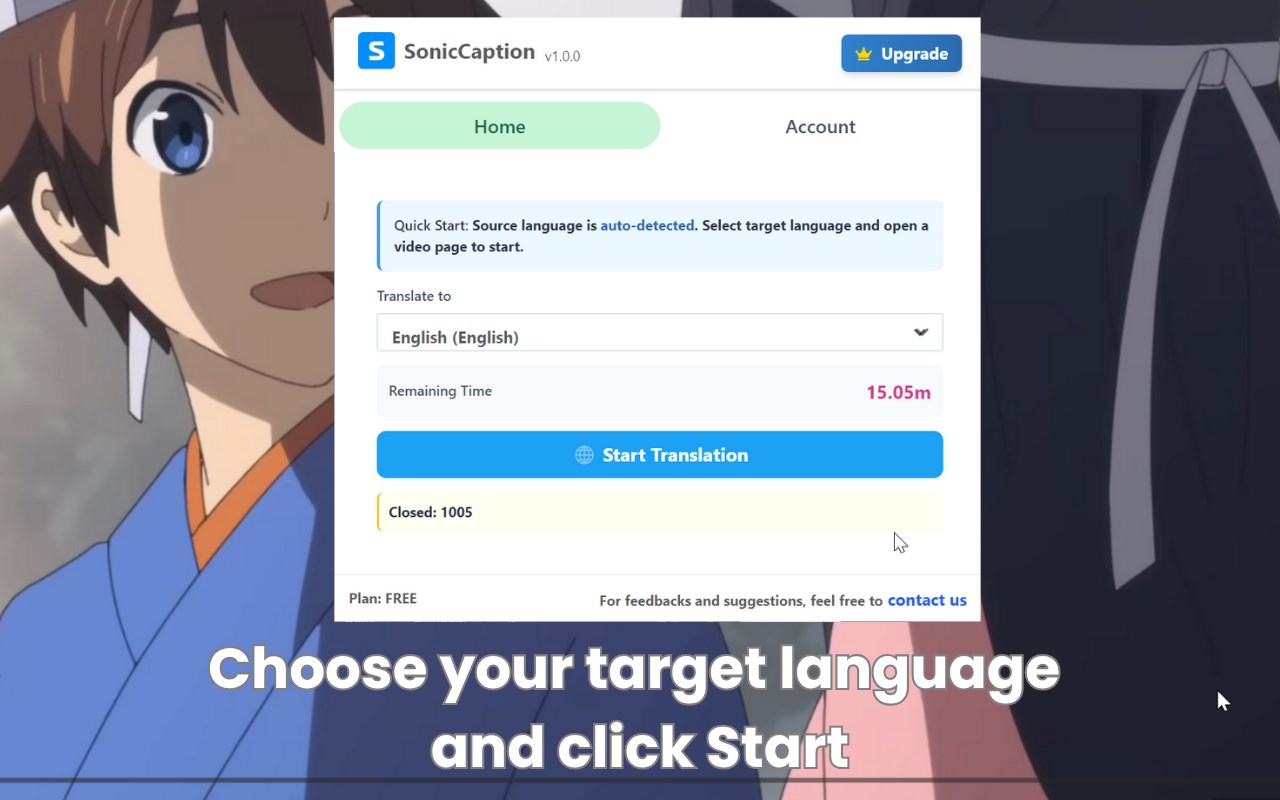
SonicCaption brings real-time bilingual subtitles to any tab.
Watch videos, live streams, anime, meetings, and online classes in other languages and follow along instantly — without waiting for official subtitles or uploading files anywhere.
🚀 What SonicCaption does
SonicCaption listens to the audio in your current tab and overlays subtitles directly on the page.
You see original subtitles + translated subtitles at the same time, updated in real time.
It works on:
Video platforms: YouTube, Netflix, Bilibili, etc.
Live streams: Twitch and other streaming sites
Meetings: Zoom, Google Meet in the browser, webinar tools
Podcasts, interviews, talk shows, online courses, and more
No extra website, no file upload — everything happens right inside your browser tab.
🔧 How to use SonicCaption in Edge
Install SonicCaption from Microsoft Edge Add-ons.
Pin the extension to your toolbar for quick access.
Open any tab that plays video or audio.
Click the SonicCaption icon, choose your target language, then press Start.
Subtitles will appear on top of the page in real time.
That’s it — your normal tab becomes a bilingual viewing experience.
✨ Key features
Real-time subtitles for any tab with audio
Dual subtitles: original language + translation shown together
Works with video and audio (no need for built-in subtitles)
AI-powered transcription & translation for high accuracy
Low latency, suitable for live streams, meetings, and classes
Overlay style designed to stay readable without blocking the content
🌍 Languages supported
Main languages (listed first):
English, Chinese, Japanese, Korean,
Spanish, Portuguese, French, German, Italian, Russian,
Arabic, Hindi, Indonesian, Vietnamese, Thai, Turkish.
All supported languages (full list):
English, Chinese, Japanese, Korean,
Spanish, Portuguese, French, German, Italian, Russian,
Arabic, Hindi, Indonesian, Vietnamese, Thai, Turkish,
Afrikaans, Albanian, Azerbaijani, Basque, Belarusian, Bengali, Bosnian, Bulgarian,
Catalan, Croatian, Czech, Danish, Dutch, Estonian, Finnish, Galician, Greek,
Gujarati, Hebrew, Hungarian, Kannada, Kazakh, Latvian, Lithuanian, Macedonian,
Malay, Malayalam, Marathi, Norwegian, Persian, Polish, Punjabi, Romanian,
Serbian, Slovak, Slovenian, Swahili, Swedish, Tagalog, Tamil, Telugu,
Ukrainian, Urdu, Vietnamese, Welsh.
The source language is auto-detected.
You just pick your target language and SonicCaption will generate subtitles and translations automatically.
🎯 Ideal for
Watching anime, dramas, and movies in other languages
Following YouTube tutorials and online courses from global creators
International meetings, webinars, and remote collaboration
Live streams (e.g. Twitch) that don’t provide subtitles
Podcasts, interviews, and talk shows in foreign languages
Language learners who want to see original + translated subtitles together
Anyone who wants to make any tab bilingual with one click
📬 Contact & feedback
Questions, bug reports, or feature ideas? We’d love your feedback:
[email protected]
If SonicCaption helps you understand more content in other languages, a rating or review in the Edge Add-ons store would mean a lot.