
Kooni AI - Instantly Polished Emails
Extension Actions
Instantly polish your Gmail emails. Transform plain text into professional emails with one click.
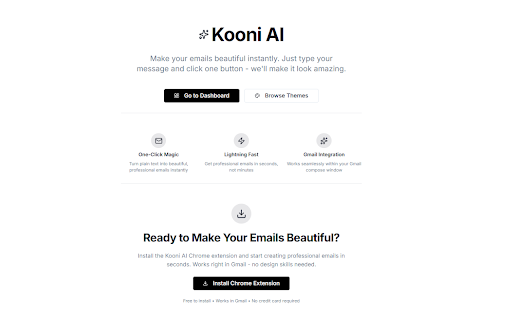
🎨 Transform Your Emails Into Works of Art
Kooni AI instantly transforms your plain text Gmail messages into stunning, professionally designed emails that capture attention and drive results. No design skills required - just type your message and click one button.
✨ WHY KOONI AI?
Beautiful emails get opened, read, and responded to more often. Whether you're reaching out to potential clients, following up with customers, or sending important business proposals, Kooni AI makes you look professional, trustworthy, and credible.
🚀 KEY FEATURES
• One-Click Transformation: Write your email naturally, then click the ✨ button to instantly beautify it
• 35+ Professional Themes: Choose from nature-inspired, corporate, creative, luxury, and seasonal designs
• Smart AI Design: Our AI analyzes your message tone and applies the perfect layout and styling
• Gmail Native: Works seamlessly inside Gmail - no switching between apps
• Mobile Responsive: Your emails look perfect on any device
• Custom Themes (Pro): Create your own branded themes with custom colors and fonts
• Asset Preservation: Automatically preserves images, links, and formatting from your original message
🎯 PERFECT FOR
• Sales Teams: Make cold outreach emails that stand out in crowded inboxes
• Marketing Professionals: Create eye-catching campaigns without a designer
• Customer Success: Send polished, professional support emails
• Entrepreneurs: Impress potential clients and partners
• Freelancers: Elevate your professional communication
• Anyone: Who wants their emails to make a great first impression
💎 HOW IT WORKS
1. Install the extension
2. Open Gmail and compose a new email
3. Write your message in plain text
4. Click the ✨ Kooni AI button in your compose window
5. Your beautiful email is ready to send!
Latest reviews
- Brianna Kaior
- THIS IS AMAZING... 5 STAR
- Alexis Karen
- my message looks so much more polished and professional. It’s easy to use and saves a ton of formatting time.
- Andy smith
- It a fantastic tool, Absolutely love it.
- Salihu Abdulrahman
- Nice to finally have a tool that makes my simple messages look like they were designed by someone with an eye for detail.
- Simon Liam
- Simple but powerful. I don’t need design skills, yet my emails now look like they were crafted by a pro.
- Aaron South
- really useful when reaching out to different recipients. i've had to copy and paste templates in the past depending on who i was writing to, but this lets me switch between family, friends, clients, etc seamlessly
- Simon Frank
- Kooni AI changed how I write emails. I just type my message normally, hit the button, and suddenly it looks sharp, clean, and professional. My clients always comment on how polished my messages are now. Super time saving.
- Construction Sammy
- My proposal emails for contracting jobs are picking up traction utilizing this tool. Highly recommend for avid email users.
- James Alex
- I wasn’t expecting it to be this smooth. The extension feels lightweight, and the suggestions actually match my writing tone instead of sounding overly robotic.
- Benjamin Terver
- I was never great at designing or formatting emails, but with Kooni AI I don’t need to be.
- George Anton
- Very easy to use, made my emails look very nice! Happy with everything
- KiD MOGS
- super helpful when it comes to generating/simplifying emails!
- Jeremy Holstein
- the emails look nice and it's easy to use
- Ruslan Balashov
- I like this wonderful extension.
- Aria Keshmiri
- Love this extension, beautifies my emails with ai, super simple to use.