
Selectable
Extension Actions
Select and copy specific cell data from tables.
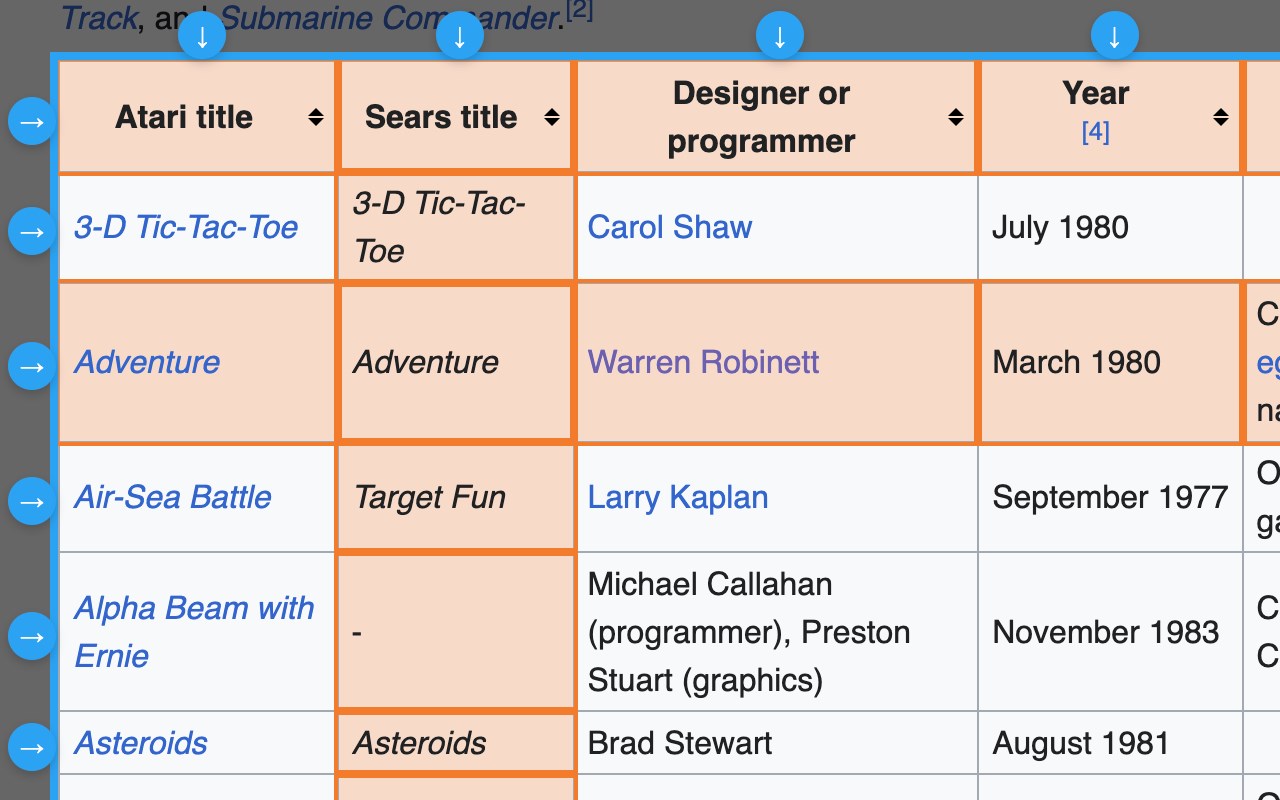
Selectable is a powerful productivity tool that allows you to extract structured data from web tables and lists with precision. Unlike standard browser selection, which often scrambles table layouts, Selectable preserves the row and column structure, making it the perfect companion for data entry, research, and spreadsheet management.
Key Features:
• Smart Table Detection: Automatically identifies tables on any webpage and adds interactive selection handles.
• Column & Row Selection: Select entire columns or rows with a single click using the floating handles.
• Precision Control: Toggle specific cells in or out of your selection.
• Spreadsheet Ready: Copies data to your clipboard in Tab-Separated Values (TSV) format, allowing you to paste directly into Microsoft Excel, Google Sheets, or CSV files without losing the grid layout.
• Privacy Focused: Selectable runs entirely offline on your device. No data is ever collected, stored, or transmitted to external servers.
How to use:
1. Click the Selectable icon in your toolbar to activate.
2. Click on any table to "lock" focus to it.
3. Use the arrow handles to select columns/rows, or click cells directly.
4. Click the floating "Copy" button to grab your data.