
Auto Workflow Agent - 浏览器Web自动化神器
Extension Delisted
This extension is no longer available in the official store. Delisted on 2026-04-27.
Extension Actions
浏览器自动化神器,拖拽式配置,告别重复劳动 (Browser automation made simple)
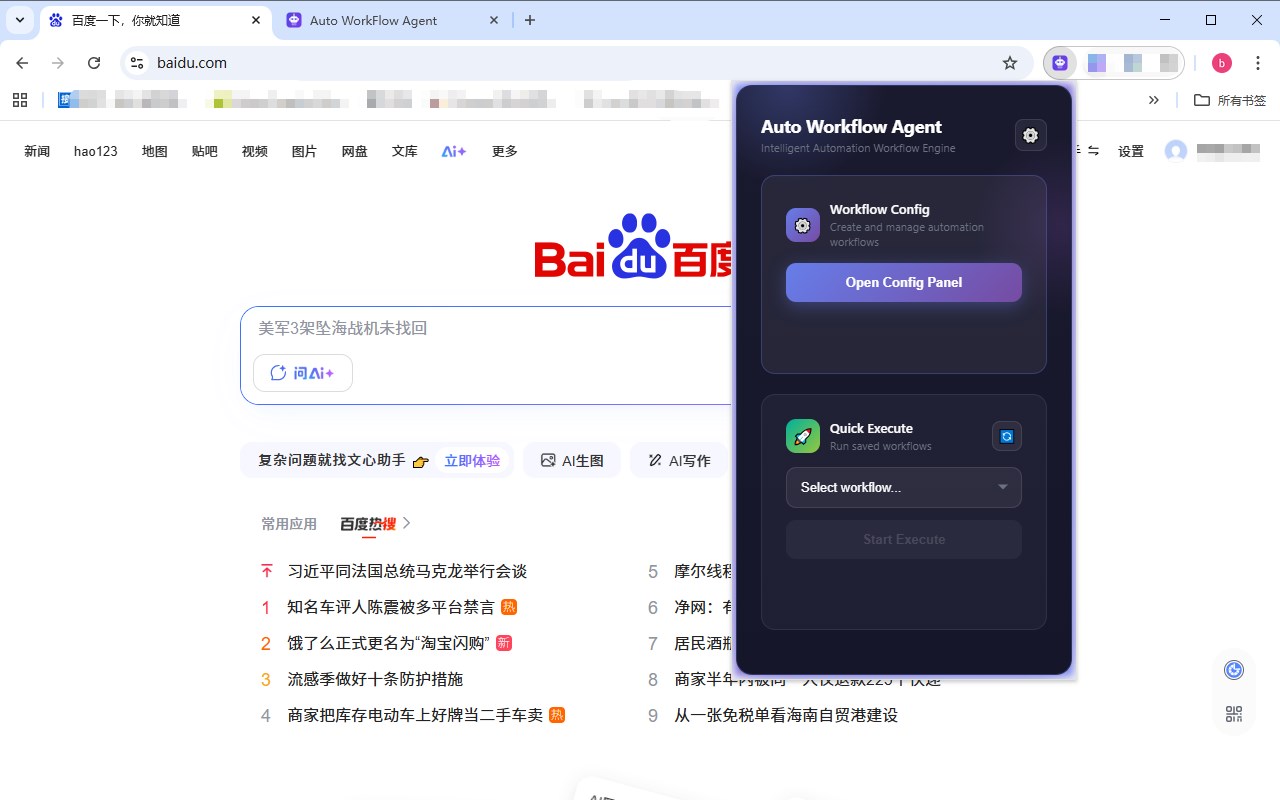
Auto Workflow Agent 是一款强大的浏览器自动化扩展,帮助您自动化重复性网页操作。
🎯 核心功能:
• 可视化工作流配置 - 拖拽式设计,无需编程
• 批量循环执行 - 支持批量数据导入和循环处理
• 元素智能选择 - 可视化元素选择器,精准定位
• 数据提取保存 - 提取网页数据并导出为CSV/JSON/Excel/TXT/Word
• API调用支持 - 集成外部API,扩展自动化能力
• 全局变量管理 - 灵活的变量系统,数据共享
• 条件判断分支 - 支持复杂的逻辑控制流程
• 执行日志记录 - 详细的执行日志,便于调试
🚀 使用场景:
• 自动化表单填写和提交
• 批量数据采集和整理
• 网页测试和监控
• 重复性办公操作自动化
• web端多系统之间的数据传递等
💡 特色优势:
• 无需编程基础,可视化操作
• 支持复杂工作流,条件和循环
• 本地运行,数据安全
• 免费,作者将持续更新
Auto Workflow Agent – Automate Your Web Activities with Ease
Auto Workflow Agent is a powerful and versatile browser extension designed to transform the way you automate web tasks. It enables users to effortlessly streamline repetitive and complex browser operations by creating custom workflows that run directly within the browser environment. Whether you’re filling forms, extracting web data, monitoring page updates, or managing multi-step processes, Auto Workflow Agent provides an intuitive, user-friendly platform to handle these tasks with precision and efficiency.
Crafted for both beginners and advanced users, this extension offers a modern interface featuring drag-and-drop workflow design, integrated JSON editors, and modular action steps. You can visually create workflows composed of navigation commands, mouse clicks, input fillings, data scraping, conditional waits, loops, and API calls without needing to write code. For more technical users, it also supports detailed step configuration, conditional branch logic, variable management, and even script injection for enhanced customization.
Auto Workflow Agent’s modular architecture runs workflows seamlessly in the background while monitoring browser events and page content changes. Real-time notifications, progress indicators, and confirmation dialogs ensure you stay informed of each workflow’s status throughout execution. Its robust retry and wait mechanisms make automation reliable even when dealing with dynamic webpages or network variability. You can also save, organize, and reuse workflows as templates, managing your automation library from a convenient sidebar interface.
Typical usage scenarios include bulk form submission, systematic data harvesting with export to CSV or JSON, website monitoring with automatic task triggering, and integrated multi-system interactions via API calls. The extension supports complex automation such as iterative loops over datasets, conditional branching, and sharing data between workflows.
Importantly, Auto Workflow Agent emphasizes user privacy and security, executing all tasks locally within your browser with zero personal data collection. This ensures that your workflows and data remain confidential and fully under your control. The extension is lightweight, free to use, and regularly updated by its developers to incorporate improvements and new features.
Key Features:
- Visual Workflow Designer and JSON Editor: Drag-and-drop interface combined with a code editor for flexible creation and modification of multi-step browser workflows.
- Comprehensive Automation Steps: Navigate pages, click elements, fill inputs, extract structured data, wait for conditions, loop actions, and invoke APIs—all within one solution.
- Condition and Loop Support: Build advanced logic with conditional steps and iterative loops for adaptive workflow control.
- Real-Time Feedback and Logging: Receive live progress updates, detailed execution logs, and confirmation prompts to monitor and debug workflows easily.
- Template and Configuration Management: Save, organize, and reuse automation templates; manage variables, settings, and data entries through an intuitive sidebar.
- Bulk Data Handling and Extraction: Collect and export webpage data in CSV or JSON formats; automate batch processing and monitoring tasks.
- Privacy-Focused Local Execution: All automation runs entirely within the browser environment, ensuring no data is transmitted externally, preserving your privacy and security.
How It Works:
1. Install Auto Workflow Agent from your browser’s extension marketplace.
2. Open the extension via the toolbar icon to access its popup or sidebar configuration panel.
3. Begin designing your workflow by adding steps such as page navigation, clicking buttons, inputting text, extracting data, waiting for page conditions, or running loops.
4. Customize each step with detailed settings, conditional logic, and variable mapping as needed using the visual designer or integrated JSON editor.
5. Save your workflow as a template for easy reuse and sharing. Organize your templates and settings conveniently in the sidebar manager.
6. Execute workflows manually on demand or configure automatic triggers based on browser events, scheduled times, or page changes.
7. Monitor execution in real-time with progress bars, notifications, and logs. Debug and adjust parameters effortlessly to ensure smooth automation.
Privacy: - No personal data collected. All automation logic operates securely and locally within your browser, safeguarding your data and privacy.
Latest reviews
- hai
- 工作流如何定时执行
- joy
- 超级好用!!!开发这个工具的简直是天才!!!
- kang
- 好用,好评!