
lmexporter – NotebookLM to PDF, Word, PNG
Extension Actions
Save NotebookLM chat conversations and Studio items to multiple file formats for easy organization and archiving.
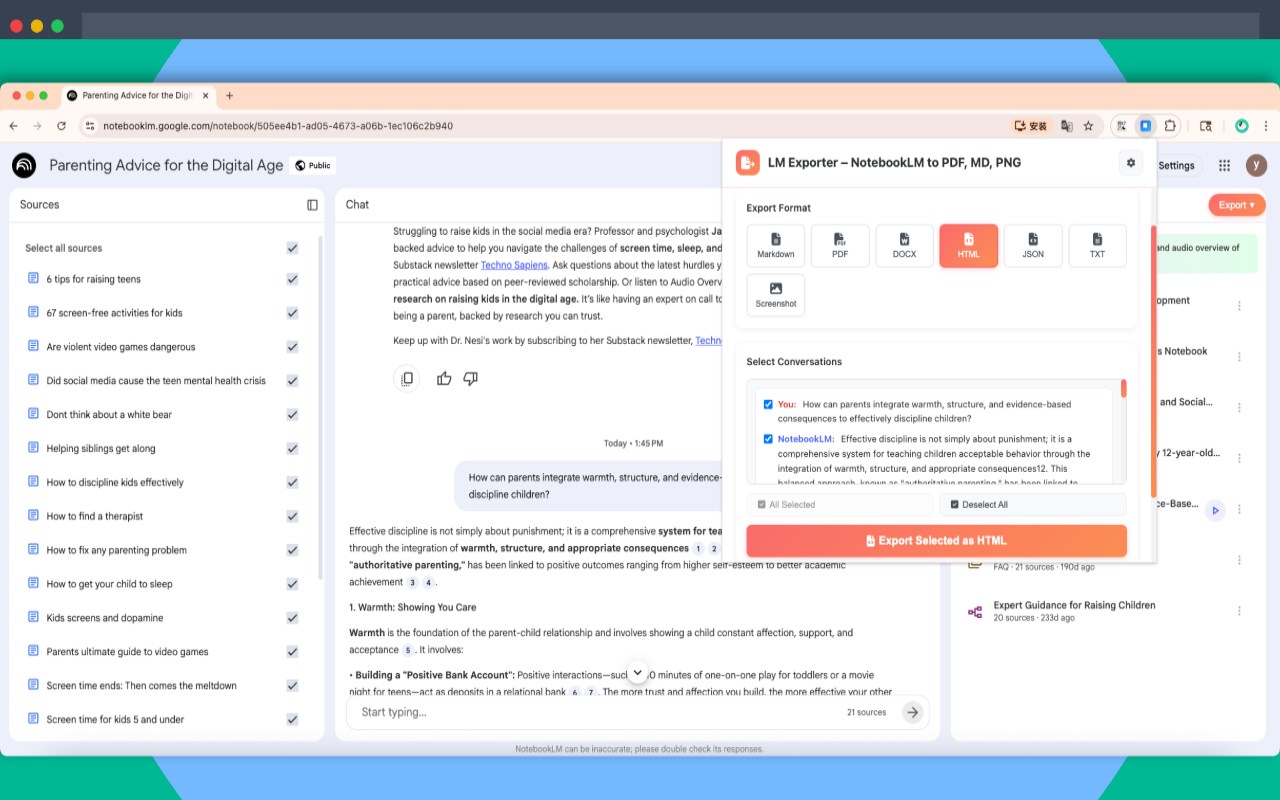
LM Exporter – Export NotebookLM to PDF, MD, DOCX, HTML, JSON, TXT, Screenshot
Export NotebookLM chat conversations and studio items to multiple formats (PDF, Markdown, DOCX, HTML, JSON, TXT, Screenshot)
Description
LM Exporter is a professional content export tool for Google NotebookLM, enabling you to easily save conversations and studio projects in multiple popular formats.
🚀 Key Features
Supports 7 Export Formats:
📝 Markdown (.md) - Perfect for technical documentation and notes
📄 PDF (.pdf) - Professional documents and printing needs
🌐 HTML (.html) - Web format with complete styling preserved
📘 Word (.docx) - Office document editing
📃 Text (.txt) - Plain text format
🔧 JSON (.json) - Structured data format
📸 Screenshot (.png) - High-quality image capture
Additional Powerful Features:
One-Click Export - Simple export button directly on NotebookLM pages
Batch Export - Select and export multiple conversations at once
Content Cleaning - Automatically removes UI elements and suggested questions
Local Processing - All conversions happen in your browser for privacy protection
Multi-language Support - Available in 25 languages including English, Chinese, and more
💡 Why Choose LM Exporter?
Boost Productivity - Quickly save important conversations for later organization and sharing
Rich Format Options - 7 export formats meet different needs from academic papers to work reports
Data Security - Local processing ensures no content is uploaded to external servers
Professional Quality - Exported content includes timestamps and source information
Regular Updates - Stays compatible with NotebookLM updates
🎯 Use Cases
Academic Research - Save research conversations and material analysis as PDF or Markdown
Work Reports - Organize meeting discussions and project progress as Word or PDF
Study Notes - Export learning conversations for review materials in multiple formats
Content Creation - Preserve creative discussions and writing materials for later editing
Data Backup - Save important conversations as JSON for structured storage
📋 How to Use
Install the extension and visit NotebookLM
Click the "Export" button on conversation pages
Select desired format and content
Files are automatically downloaded locally
🔒 Privacy & Security
No data collection or tracking
All processing happens locally in your browser
No external server communication for content processing
Minimal permissions design
Technical Support
Website: https://lmexporter.ababtools.com
Support Email: [email protected]