
Cursor Gradient
Extension Actions
Custom Cursor Gradient is a browser extension that allows you to change your mouse cursor on web pages
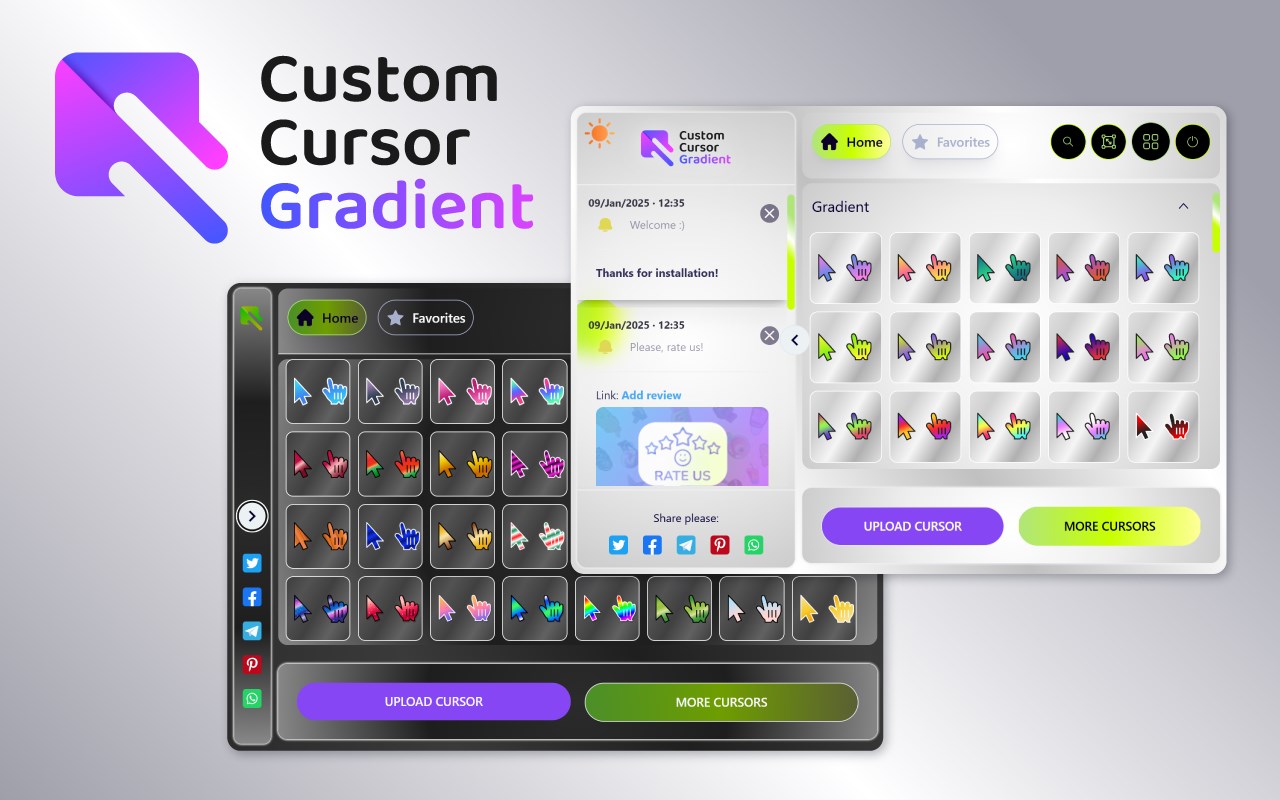
Cursor Gradient is a vibrant and versatile browser extension designed to transform your ordinary mouse pointer into a stunning array of colorful and dynamic gradient cursors. Elevate your browsing experience by replacing the standard cursor with beautifully crafted gradient designs that infuse personality, style, and creativity into every interaction online. Whether you want calm, cool blues for focused tasks or bold neon hues for a vibrant flair, Cursor Gradient provides a wide spectrum of themes and styles to suit every mood and preference.
With hundreds of free gradient cursor options, this extension offers an extensive collection including themes inspired by nature, gemstones, neon lights, fruits, and more. For instance, you can choose from romantic Valentine’s Day gradients, mystical forest greens, cosmic aurora galactic colors, electric sunsets, soothing ocean waves, pastel dream palettes, neon nightlife highlights, and even golden metallic horizons. Each cursor is designed with smooth color transitions and impeccable saturation, ensuring every movement feels seamless and visually appealing. Additionally, the extension includes both arrow and hand pointer styles, allowing automatic switching based on your interaction—whether you’re clicking links, dragging items, or simply navigating.
Cursor Gradient is engineered for effortless use and deep customization. From the popup interface, users can instantly preview and switch between cursors with a single click. A comprehensive settings page allows fine-tuning options such as cursor size, animation effects, transparency levels, hotspot positioning, and dynamic behaviors that change cursor shapes on hover or click. You can also organize your favorite cursor styles into a personalized gallery, manage collections, sync favorites, and even upload your own custom gradient cursor designs to make your browsing uniquely yours. The extension updates regularly with fresh trending gradient packs, maintaining a steady flow of new styles to explore.
Performance and compatibility are key strengths of Cursor Gradient. Cursor images are optimized for fast loading and minimal memory usage, ensuring smooth operation even on high-resolution displays. Dynamic effects and animations remain responsive, adding fun without sacrificing browser performance. The extension integrates seamlessly with Chrome and all Chromium-based browsers, working reliably across all websites and modern web applications.
Privacy is treated with utmost care; Cursor Gradient operates entirely locally within your browser environment. No personal data or browsing history is collected or transmitted. All settings and preferences are stored securely on your device, and cursors load directly from trusted sources without compromising your security.
Whether for work, study, gaming, or casual browsing, Cursor Gradient turns your cursor into a creative expression of individuality and adds a splash of joy and inspiration to every click. Discover new ways to customize and refresh your digital workspace with this powerful yet user-friendly extension.
Key Features:
- Extensive Collection: Access hundreds of professionally designed gradient cursors across numerous themes including nature, gemstone, neon, and pastel palettes.
- Live Preview and Easy Switching: Immediately see changes as you select cursor packs from the popup interface, with the option to revert anytime.
- Rich Customization: Adjust size, enable or disable animations, tweak transparency, hotspot location, and dynamic state changes such as hover and click effects.
- Favorites and Management: Organize and sync your favorite cursors, manage downloads, and explore new packs from an updated online catalog.
- Dynamic Cursor States: Automatically switch between arrow, pointer, and drag cursors based on webpage interaction for intuitive navigation.
- Optimized Performance: Lightweight and fast-loading cursor images that maintain sharpness and responsiveness on high-DPI screens.
- Privacy Focused: No personal or browsing data collected; all preferences stored locally with adherence to browser security policies.
How It Works:
1. Install the Cursor Gradient extension from the Chrome Web Store or your Chromium-based browser’s extension marketplace.
2. Click the extension icon to open the popup menu, where featured and favorite cursor packs are displayed.
3. Browse through the available gradient cursor collections and preview any design instantly within your browser.
4. Access the options/settings page to customize cursor size, enable animations, set hotspot positions, and configure on-hover or click behaviors.
5. Apply your chosen cursor style with a simple click, or revert to the default system cursor whenever desired.
6. Use the management interface to organize your cursor packs, sync favorites across devices, or load new gradient collections from the curated catalog.
7. Experience smooth dynamic effects as the cursor automatically adapts to webpage interactions and enjoy optional animated gradient styles.
Privacy: - No personal data collected. Cursor Gradient operates entirely within your browser, storing preferences locally without transmitting any browsing information. All cursor packs and customization happen securely and privately on your device.